Tutorial
Apollo.io Tutorial: How to Find B2B Leads and Automate Outreach Step by Step
Deals Stacks
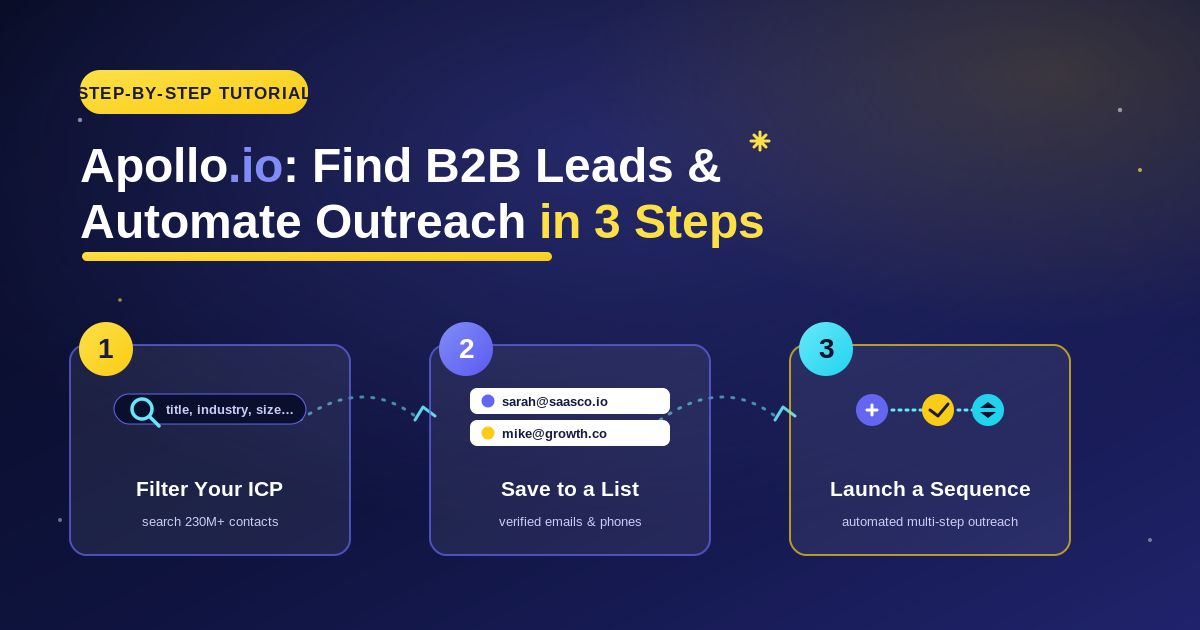
Apollo.io Tutorial: How to Find B2B Leads and Automate Outreach Step by Step
Finding potential customers is one of the most important parts of B2B sales, but it can also take a lot of time.
You need to identify companies that match your target market, find the right decision-makers, access useful contact information, organize prospects, and then reach out with a message that gives them a reason to respond.
Apollo.io brings many of these activities into one platform.
It combines B2B sales intelligence and prospecting with contact data, list building, sequences, engagement, enrichment, and automation.
If you are using Apollo.io for the first time, the number of features can feel like a lot. The easiest way to learn the platform is to follow a simple workflow from beginning to end.
This tutorial walks through that process step by step.
Step 1: Define Your Ideal Customer Before Searching
Do not begin by searching for thousands of random contacts.
First, define your Ideal Customer Profile, commonly called an ICP.
Your ICP describes the type of company most likely to benefit from your product or service.
Ask yourself a few questions.
What industries do you want to target?
What company size is most relevant?
Which locations do you serve?
What type of business problem do you solve?
Which job roles are usually involved in buying your solution?
For example, imagine you sell recruitment software for growing technology companies.
Your target could be mid-sized technology businesses, while the people you want to reach might include HR Directors, Heads of Talent, Talent Acquisition Managers, or People Operations leaders.
Having this information ready makes Apollo’s search tools much more useful.
Step 2: Set Up Your Apollo.io Account
Create or sign in to your Apollo.io account.
Once you enter the platform, spend some time becoming familiar with the main navigation and the features available on your current plan.
Apollo’s interface and feature availability can change over time, but you will generally work with areas related to prospect search, companies, lists, sequences, engagement, and data.
You do not need to learn everything immediately.
For your first workflow, focus on four things:
Finding prospects
Filtering results
Saving relevant leads
Creating outreach
Once you understand these basics, you can explore more advanced features.
Step 3: Start Searching for B2B Prospects
Now you can begin finding potential customers.
Use Apollo’s prospecting or people-search functionality to search for professionals who match your target audience.
A broad search may return a very large number of results.
That is normal.
The goal is not to review everyone manually. Instead, use filters to narrow the results.
Think of Apollo’s database as a large market.
Filters help you identify the small part of that market that is actually relevant to your business.
Step 4: Apply the Right Filters
Filters are one of the most important parts of effective prospecting.
Depending on the available search options, you can narrow prospects using criteria related to people, roles, companies, industries, locations, and other business characteristics.
Start with your ICP.
Suppose you sell an analytics platform to SaaS businesses.
Instead of searching for anyone working at a software company, narrow the audience.
You might focus on relevant industries, suitable company characteristics, target locations, and job titles connected to analytics, marketing, growth, or revenue.
Do not add filters simply because they exist.
Every filter should answer a strategic question.
Why does this criterion make someone more likely to be a good prospect?
If you cannot answer that question, the filter may not be necessary.
Step 5: Search by Job Title and Seniority
Finding the right company is only part of prospecting.
You also need the right person.
Imagine you sell cybersecurity software.
A graphic designer at a target company may work for the right organization but is probably not the right decision-maker for your product.
You might instead focus on roles related to IT, security, technology, or infrastructure.
Job-title and seniority filters can help narrow your search.
However, avoid assuming that the most senior person is always the best contact.
At a small startup, a founder may make the buying decision.
At a large enterprise, a department head, director, manager, or specialist may be more relevant.
Think about who actually experiences the problem your product solves.
Step 6: Use Company Filters
You can also narrow prospects based on the companies where they work.
This is useful when your product fits a particular type of organization.
For example, imagine your software is designed for growing e-commerce brands.
You probably do not want to contact every business in Apollo’s database.
Instead, use relevant company criteria to create a more focused audience.
Depending on available data and filters, this might involve industry, employee range, location, technologies, or other company characteristics.
A clearly defined target market will produce a better list than a broad search.
Step 7: Review Prospects Before Saving Them
Once your filters are applied, review the results.
Do not immediately save every person who technically matches your criteria.
Look at the prospect’s role and company.
Ask:
Does this company genuinely fit our target market?
Is this person’s role connected to the problem we solve?
Would it make sense for this person to receive our message?
Is there a clear reason to contact them?
This manual review is important.
Automation can identify possible matches, but human judgment helps determine whether those matches actually make sense.
Step 8: Build a Focused Prospect List
Once you find relevant prospects, organize them into lists.
Good list organization makes future outreach much easier.
Avoid creating one enormous list called something like “All Leads.”
Instead, organize prospects according to meaningful segments.
For example:
SaaS Marketing Leaders
E-commerce Founders
US HR Decision-Makers
Enterprise IT Prospects
Recruitment Software Campaign
The exact structure depends on your business.
Segmentation makes personalization easier because people within each list are more likely to share similar needs.
Step 9: Work With Available Contact Data
After identifying relevant prospects, you can work with the professional contact information available through Apollo according to your plan and credit allowances.
Contact information may include business email or other professional data depending on availability.
Do not treat every record as permanently accurate.
People change jobs.
Companies reorganize.
Professional contact information becomes outdated.
Review important prospects carefully, particularly when the opportunity is high value.
Your goal should be quality data, not simply more data.
Step 10: Understand Apollo.io Credits
Before revealing or exporting large amounts of contact data, understand how your Apollo plan handles credits and usage limits.
Different actions may be subject to specific allowances depending on your subscription.
This matters because careless prospecting can waste resources.
For example, revealing information for thousands of poorly targeted contacts before reviewing whether they fit your ICP is inefficient.
A better workflow is:
Search → filter → review → prioritize → access the data you actually need.
Always check Apollo’s current plan documentation because pricing, credit rules, and feature availability can change.
Step 11: Research Your Prospects
You now have a targeted prospect list.
Do not immediately send the same email to everyone.
Research your prospects.
Look at the person’s role.
Understand the company.
Identify a genuine business reason for contacting them.
Suppose you are contacting a Head of Sales.
Instead of writing:
“Hi, I saw your profile and thought our amazing software might interest you.”
Your message should connect your offer to a real problem someone in that role may experience.
Perhaps your product helps reduce manual prospect research.
Perhaps it improves sales data quality.
Perhaps it solves another measurable problem.
Good personalization is about relevance, not artificial compliments.
Step 12: Create Your First Outreach Sequence
Apollo provides sequence functionality that can help organize outbound sales outreach.
A sequence is a planned series of engagement steps.
For example, it might include an initial email followed by appropriate follow-ups or other supported sales activities.
The purpose is to create consistency.
Without a sequence, representatives may forget to follow up or contact prospects inconsistently.
Start simple.
You do not need a complicated 15-step workflow for your first campaign.
Build a sequence that has a clear purpose at each stage.
Step 13: Write Your First Email
Your first email should be easy to understand.
Avoid a long company introduction.
A simple structure works well:
Context: Why are you contacting this person?
Problem: What relevant challenge are you addressing?
Value: How might you help?
Call to action: What simple next step are you suggesting?
For example:
Hi Sarah,
I noticed you lead talent acquisition at a growing software company. We help recruiting teams reduce the manual work involved in managing candidate outreach.
Would it be useful if I shared a short example of how teams use it?
This is only a structural example.
Your real message should reflect your actual product and genuine research.
Keep it natural.
You are writing to a person, not an algorithm.
Step 14: Add Personalization
Personalization can improve relevance, but it needs to be meaningful.
Adding someone’s first name is not enough.
Consider factors such as:
Their role.
Their company’s situation.
Their industry.
A relevant business challenge.
A legitimate trigger or reason for contacting them.
Avoid fake personalization.
Statements such as:
“I absolutely love what your incredible company is doing!”
can feel artificial if there is no specific reason behind them.
Use real context instead.
Automation should help you personalize efficiently, not create the illusion of research you never did.
Step 15: Create Useful Follow-Ups
Not every prospect will respond to the first message.
That does not automatically mean they are uninterested.
They may be busy or may simply have missed your email.
Follow-ups can help.
But avoid sending the same message repeatedly.
Each follow-up should have a purpose.
You might provide:
A useful example.
A relevant customer outcome.
A short resource.
Additional context.
A simpler question.
Keep your follow-ups concise and respectful.
More messages do not always mean better results.
Step 16: Use Automation Carefully
Apollo’s automation capabilities can reduce repetitive work.
This can be valuable when sales representatives manage many prospects.
However, automation creates a common risk:
Scaling a bad process.
Imagine your targeting is poor.
Without automation, you might send 50 irrelevant emails.
With automation, you might send 5,000.
The underlying problem has not improved—it has simply become larger.
Before scaling outreach, test your audience and messaging with a smaller segment.
If the response quality is poor, investigate why.
Do not automatically increase volume.
Step 17: Consider Multichannel Outreach
Depending on your Apollo setup and available features, your sales engagement workflow may include channels beyond email, such as calling-related activities.
A multichannel approach can be useful because not every prospect responds through the same channel.
However, coordination matters.
Do not contact someone aggressively across every available channel at the same time.
A prospect should experience a professional sales process rather than automated pressure.
Use each channel with a clear purpose.
Step 18: Connect Apollo.io With Your CRM
If your team uses a CRM, consider how Apollo should fit into that system.
A good integration can reduce manual data entry and help keep sales information organized.
Before connecting systems, define your data rules.
Which records should sync?
What happens when duplicate records exist?
Which system is the source of truth?
Which fields should be updated?
Who owns the data?
Without clear rules, automation can create more confusion instead of less.
Test your workflow with a small set of records before applying changes across a large database.
Step 19: Use Data Enrichment
Apollo also provides data-enrichment capabilities.
Enrichment can help improve existing records by adding or updating relevant contact and company information.
This can be particularly useful if your CRM contains incomplete data.
For example, you may have:
A person’s name but incomplete company details.
A company record missing useful firmographic information.
Old records that need updating.
Rather than manually researching each entry, enrichment can automate parts of this process.
Still, review important records carefully.
Automated data should support your decision-making, not replace basic quality control.
Step 20: Track Engagement and Results
Once your outreach starts, monitor performance.
Do not focus only on how many emails you send.
Volume is not the goal.
Look at the broader outcome.
Are messages reaching the intended prospects?
Are people engaging?
Are you getting meaningful replies?
Are those replies becoming qualified conversations?
Are meetings turning into real opportunities?
A campaign with fewer sends but more qualified conversations may be much more successful than one generating large activity numbers with little business value.
Step 21: Improve Your Targeting
If your campaign is underperforming, your message may not be the only problem.
Review your targeting.
Perhaps the companies are too small.
Perhaps you are reaching the wrong job titles.
Perhaps the industry is not a strong fit.
Perhaps your offer solves a problem that the selected prospects do not actually have.
Return to your Apollo search and adjust your filters.
Prospecting is an iterative process.
Your first ICP is a hypothesis.
Real sales results help you improve it.
Step 22: Improve Your Messaging
If your targeting appears strong but responses are weak, review your message.
Ask:
Is the email too long?
Is the value proposition clear?
Does the opening feel generic?
Are we talking too much about ourselves?
Is the call to action too demanding?
Would I respond if I received this email?
Small changes can make a meaningful difference.
Avoid changing ten things at once.
Test one meaningful variation, observe the results, and learn from it.
Step 23: Create a Repeatable Workflow
Once you find a process that works, document it.
A simple repeatable Apollo workflow might look like this:
Define ICP → Search → Filter → Review → Save prospects → Access relevant data → Research → Add to sequence → Personalize → Launch → Track → Improve.
This creates consistency across the sales team.
New representatives can follow the same basic process instead of inventing their own prospecting system.
You can then refine the workflow as your sales strategy develops.
Common Apollo.io Mistakes to Avoid
Searching too broadly: A huge list is not necessarily a useful list.
Using too many filters without a strategy: Filters should reflect your ICP, not simply make the search look sophisticated.
Saving everyone: Review prospects before adding them to outreach.
Ignoring credit usage: Understand your plan before processing large amounts of contact data.
Sending generic messages: Use real context and relevance.
Over-automating: Test your process before scaling it.
Ignoring data quality: Professional information changes over time.
Measuring only activity: Focus on meaningful replies, conversations, opportunities, and business outcomes.
A Simple Apollo.io Workflow for Beginners
If you are completely new to Apollo.io, start with this basic process:
Define one clear ideal customer profile.
Open Apollo’s prospect search.
Apply a small number of relevant filters.
Review the results manually.
Save a focused group of good prospects.
Work with the available contact data you actually need.
Research the prospects before contacting them.
Create a simple outreach sequence.
Personalize your messaging.
Launch to a smaller test segment.
Review results.
Improve your targeting and message before scaling.
Do not try to master every Apollo feature on your first day.
Build one successful workflow first.
Frequently Asked Questions
How do beginners use Apollo.io?
Start by defining your ideal customer, searching for relevant people or companies, applying prospecting filters, reviewing and saving suitable prospects, and then building a simple outreach workflow. Learn the core process before exploring advanced automation.
Can I find B2B leads with Apollo.io?
Yes. Apollo.io provides B2B people and company search capabilities designed to help users discover prospects that match specific targeting criteria.
Can I filter prospects in Apollo.io?
Yes. Apollo provides multiple prospecting filters. The exact filters and availability may depend on the current product and plan.
Can I create email sequences with Apollo.io?
Yes. Sequences are part of Apollo’s sales engagement functionality and can help teams organize structured outreach and follow-ups.
Can Apollo.io automate sales outreach?
Apollo provides automation and engagement capabilities that can reduce repetitive sales tasks. Automation should be used carefully with good targeting, personalization, and appropriate communication practices.
Can Apollo.io enrich CRM data?
Yes. Apollo provides data-enrichment functionality for supported CRM, CSV, API, and related workflows.
Is Apollo.io suitable for beginners?
It can be, although its broad feature set may take some time to learn. Beginners should start with prospect search, filters, lists, and basic sequences before moving into more advanced workflows.
Conclusion
Apollo.io becomes much easier to understand when you treat it as a simple process rather than a collection of separate features.
Start by defining who you want to reach.
Use Apollo’s prospecting tools and filters to find people and companies that match that audience.
Review those prospects carefully and organize the best matches into focused lists.
Then use relevant contact data, research your prospects, create a clear outreach sequence, and personalize your communication.
Once you have a workflow that produces meaningful results, automation can help you scale it.
The most important lesson is simple:
Do not use Apollo.io just to find more leads. Use it to find more relevant leads.
A smaller list of well-targeted prospects combined with thoughtful outreach is usually more valuable than thousands of random contacts receiving automated messages.
When prospecting, data, engagement, and human judgment work together, Apollo.io can help turn a time-consuming outbound process into a more organized and repeatable sales workflow.


