Guide
Dext: Complete Guide to Automated Bookkeeping and Receipt Management
Deals Stacks
Dext: Complete Guide to Automated Bookkeeping and Receipt Management
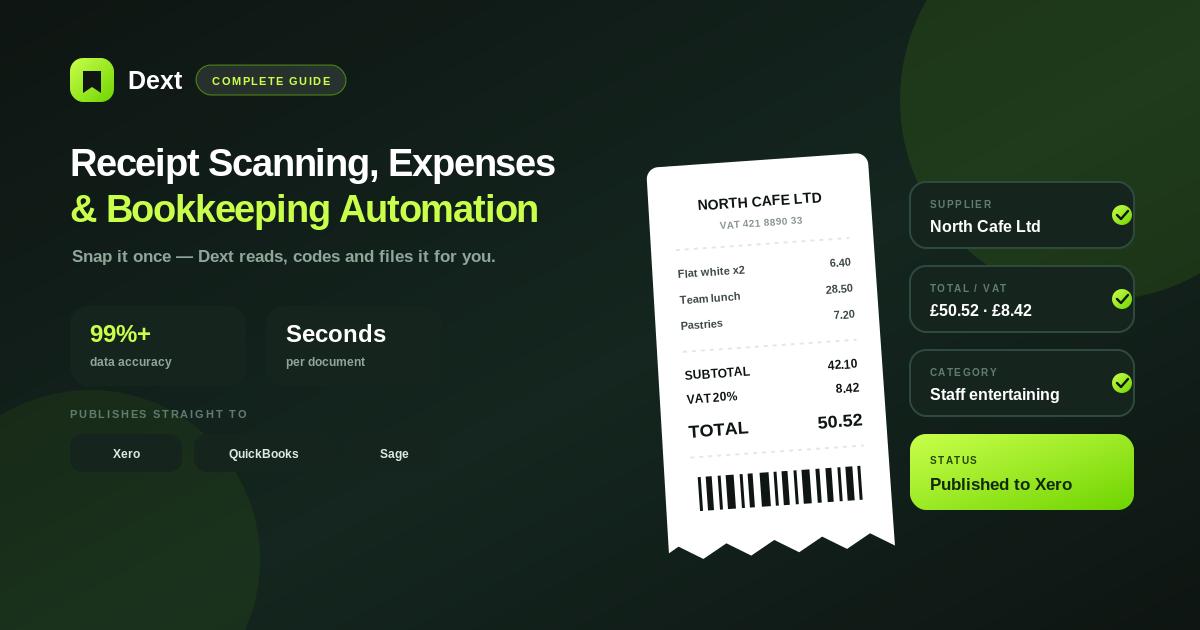
Managing receipts, invoices, expenses, and other financial documents manually can become time-consuming as a business grows. Dext is designed to simplify this process by helping businesses and accounting professionals capture financial documents, extract important information, organize transactions, and connect the data with accounting workflows.
Instead of manually entering information from every receipt or invoice, users can submit documents to Dext and review the information extracted from them.
This guide explains what Dext is, how it works, its main features, benefits, use cases, and best practices.
What Is Dext?
Dext is an accounting and bookkeeping automation platform focused on financial document management.
It helps users handle documents such as:
Receipts
Invoices
Bills
Expense records
Bank statements
Other financial documents
The platform extracts information from submitted documents and prepares it for review and publishing to supported accounting software.
The main objective is to reduce repetitive bookkeeping work while keeping supporting financial documentation organized.
How Does Dext Work?
Dext follows a relatively simple workflow:
Capture → Extract → Review → Categorize → Publish
For example, an employee purchases office supplies.
Instead of keeping the paper receipt until the end of the month, they can capture it using Dext.
Dext processes the receipt and extracts available information such as the supplier, date, amount, tax, and other relevant details.
The finance team can then review the information before publishing the transaction to the connected accounting system.
Key Features of Dext
1. Receipt Capture
Dext allows users to capture receipts digitally.
A receipt can be submitted through supported methods such as the mobile app, email, or web upload.
This makes it easier to collect receipts immediately after a business purchase.
2. Invoice Processing
Dext can process supplier invoices and extract relevant information.
Depending on the document and setup, this can include:
Supplier name
Invoice number
Invoice date
Due date
Total amount
Tax
Currency
Line-item information
This reduces the amount of information that needs to be entered manually.
3. Data Extraction
Data extraction is one of the central parts of Dext.
When a document is submitted, Dext processes the document and identifies relevant financial information.
Users can then review the extracted information before it becomes part of their accounting workflow.
4. Mobile App
The Dext mobile app makes receipt capture convenient for employees and business owners.
A basic workflow is:
Open App → Photograph Receipt → Submit → Review
This is particularly useful for:
Travel expenses
Meals
Transportation
Office purchases
Client expenses
5. Email Capture
Businesses can also use supported email workflows to submit documents.
For example, a supplier invoice received by email can be forwarded into the appropriate Dext workflow.
This can eliminate unnecessary downloading, printing, and manual entry.
6. Expense Management
Dext can help businesses collect and organize documentation for expenses.
Employees can submit receipts while finance teams review the associated information.
This creates a more structured process for managing employee expenses.
7. Accounting Integrations
Dext is designed to work alongside accounting software.
Once a document has been processed and reviewed, the information can be published to a supported accounting platform.
The overall process becomes:
Document → Dext → Review → Accounting Software
The specific integrations and features available can vary depending on the product, plan, and region.
8. Bookkeeping Automation
Dext can automate parts of the bookkeeping process, reducing repetitive administrative work.
For example, recurring transactions can be handled using appropriate rules and workflows where supported.
This allows accountants and bookkeepers to spend less time entering information manually.
Who Should Use Dext?
Small Businesses
Small businesses can use Dext to organize receipts and invoices without relying entirely on manual data entry.
Accountants
Accountants can use Dext to collect and process documents from clients.
Bookkeepers
Bookkeepers can use Dext to reduce repetitive document-processing tasks.
Freelancers
Freelancers can capture business receipts and maintain better records throughout the year.
Agencies
Agencies can use Dext to manage expenses and supporting documentation across teams and projects.
Growing Businesses
Businesses with increasing transaction volumes can use automation to make their financial-document workflow more scalable.
Benefits of Dext
Saves Time
Automated extraction reduces repetitive manual data entry.
Improves Organization
Documents can be collected and managed through a centralized workflow.
Reduces Paperwork
Digital document capture can reduce dependence on physical receipts.
Makes Receipt Collection Easier
Employees can capture receipts immediately after making purchases.
Supports Accounting Workflows
Processed information can be transferred to supported accounting systems.
Helps Accounting Teams Scale
Automation can help teams process more documents without increasing manual work at the same rate.
Dext for Accountants and Bookkeepers
Dext can be particularly useful for accounting firms.
A traditional process might look like:
Client Sends Documents → Accountant Downloads Files → Opens Documents → Reads Information → Manually Enters Data
With Dext, the workflow can become:
Client Submits Documents → Dext Processes Data → Accountant Reviews → Publish
This can significantly reduce repetitive document-processing work.
Dext for Employee Expenses
Employee expense management is another common use case.
For example:
Employee Makes Purchase
↓
Receipt Captured
↓
Dext Processes Receipt
↓
Finance Team Reviews
↓
Transaction Published
This approach encourages employees to submit receipts immediately instead of keeping them until the end of the month.
Dext for Supplier Invoices
Businesses can also use Dext to organize supplier invoices.
A typical process is:
Supplier Sends Invoice
↓
Invoice Submitted to Dext
↓
Information Extracted
↓
Supplier & Amount Reviewed
↓
Approval
↓
Accounting Software
This helps finance teams maintain a more consistent invoice-processing workflow.
Dext and Accounting Automation
Dext works as part of a larger accounting ecosystem rather than necessarily replacing accounting software.
The roles are different:
Dext: Captures and processes financial documents.
Accounting Software: Maintains accounting records and supports broader accounting operations.
This creates a connected workflow between document capture and accounting.
Best Practices for Using Dext
Capture Documents Immediately
Don’t wait until the end of the month to collect receipts.
Use Clear Images
Make sure the entire receipt or invoice is visible and readable.
Review Extracted Data
Automation reduces manual work, but important financial information should still be reviewed.
Use Consistent Categories
Consistent expense categorization helps maintain cleaner financial records.
Establish Employee Guidelines
Employees should know where and when to submit business receipts.
Check Accounting Integrations
Regularly verify that transactions are transferring correctly.
Common Mistakes to Avoid
Uploading blurry documents.
Forgetting to submit receipts.
Publishing transactions without reviewing them.
Selecting incorrect categories.
Creating duplicate transactions.
Ignoring tax information.
Using inconsistent supplier details.
Assuming automated extraction is always perfect.
Not training employees on the document-submission process.
Example Dext Workflow
Imagine a consulting company has an employee who purchases software for a client project.
The process can be:
Software Purchase
↓
Receipt Captured in Dext
↓
Supplier Identified
↓
Amount and Tax Extracted
↓
Finance Team Reviews
↓
Software Category Selected
↓
Transaction Published
↓
Receipt Stored With Transaction
This creates a clear record from the original purchase through to the accounting system.
Frequently Asked Questions
What is Dext used for?
Dext is used to capture and process receipts, invoices, and other financial documents while reducing manual bookkeeping work.
Can Dext scan receipts?
Yes. Users can capture receipts through supported submission methods, including the Dext mobile app.
Can Dext process invoices?
Yes. Dext can extract information from invoices and prepare it for review and accounting workflows.
Is Dext useful for accountants?
Yes. Accountants and bookkeepers can use Dext to collect client documents and automate parts of document processing.
Does Dext replace accounting software?
No. Dext is designed to work alongside supported accounting platforms and automate document-related bookkeeping tasks.
Should I review documents processed by Dext?
Yes. Review extracted information before publishing transactions, especially when amounts, tax treatment, or categories require careful attention.
Final Verdict
Dext is a useful solution for businesses and accounting professionals that want to reduce the manual work involved in managing financial documents.
Its core workflow is straightforward:
Capture → Extract → Review → Categorize → Publish
For small businesses, Dext can make receipt and invoice management easier. For accountants and bookkeepers, it can reduce repetitive document-processing work and help create more consistent workflows.
The biggest value comes from combining automation with human review. Dext can handle much of the repetitive processing, while finance professionals remain responsible for checking important financial information and making the final accounting decisions.


