Guide
Donorbox: Complete Guide to Online Fundraising, Donations, and Nonprofit Management
Deals Stacks
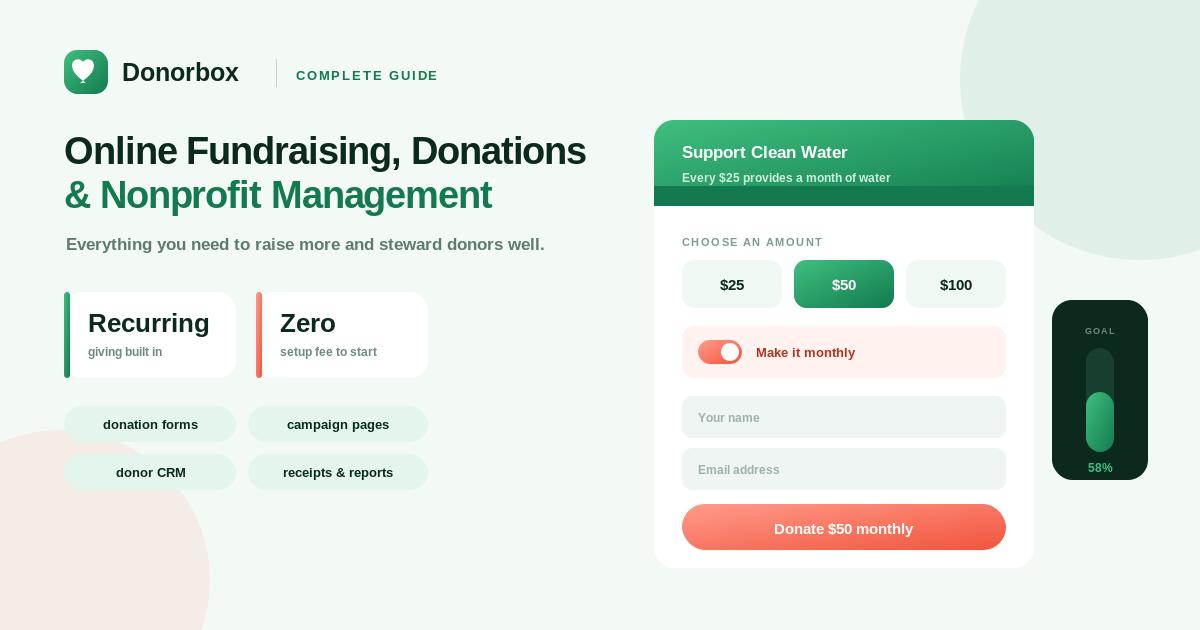
Donorbox: Complete Guide to Online Fundraising and Donor Management
Fundraising has changed significantly as more donors prefer to give online. Nonprofits and charitable organizations need simple ways to accept donations, communicate with supporters, manage donor information, and create fundraising campaigns.
Donorbox is an online fundraising platform designed to help nonprofits collect donations and manage different fundraising activities from one place.
The platform provides tools for donation forms, recurring donations, fundraising pages, donor management, event ticketing, memberships, peer-to-peer fundraising, and other nonprofit fundraising needs.
What Is Donorbox?
Donorbox is a fundraising platform built for nonprofits, charities, churches, educational organizations, and other groups that collect donations.
Organizations can create donation forms and pages, embed them on their websites, share fundraising campaigns, accept recurring donations, and manage donor information.
Instead of building a complete donation system from scratch, organizations can use Donorbox to create a digital fundraising infrastructure around their existing website and outreach channels.
Why Use Donorbox?
Managing online fundraising can involve several separate tasks:
Creating donation forms
Accepting payments
Managing donor information
Tracking donations
Creating campaigns
Encouraging recurring giving
Communicating with supporters
Measuring fundraising performance
Donorbox brings many of these activities together.
This can save nonprofits time and make the donation experience easier for supporters.
Key Features of Donorbox
Donorbox provides several tools designed specifically for nonprofit fundraising.
Online Donation Forms
Organizations can create customizable donation forms that can be embedded into their websites.
Donation forms can be configured for different campaigns and giving requirements.
Recurring Donations
Recurring giving allows supporters to donate automatically on a regular schedule.
This can help nonprofits develop a more predictable source of revenue.
Fundraising Pages
Organizations can create dedicated fundraising pages for specific campaigns, causes, or projects.
These pages can then be shared through websites, email, and social media.
Donor Management
Donorbox provides tools for organizing donor information and monitoring donation activity.
This can help fundraising teams understand supporter engagement and maintain donor relationships.
Peer-to-Peer Fundraising
Nonprofits can create peer-to-peer fundraising campaigns where supporters raise money on behalf of an organization.
This allows an organization to expand fundraising beyond its own direct audience.
Event Ticketing
Donorbox also offers tools for organizations that need to manage fundraising events and ticket sales.
Memberships
Organizations can use membership functionality to collect recurring payments and manage members.
How Donorbox Donation Forms Work
One of the simplest ways to use Donorbox is to create a donation form.
The basic process is:
Create Form → Customize → Connect Payment Method → Add to Website → Receive Donations
The organization can determine the donation amounts and configure the form according to its campaign.
The form can then be placed on the organization’s website.
Creating a Donation Campaign
A nonprofit can create a campaign around a specific fundraising goal.
For example:
Campaign: Build a Community Library
Goal:
$25,000
The campaign page can explain:
Why the project matters
How donations will be used
The fundraising goal
How people can contribute
A clear campaign story can make it easier for potential donors to understand the impact of their contribution.
Recurring Donations
Recurring donations are particularly important for nonprofit organizations because they can provide more predictable income.
Instead of making a single donation, supporters can choose to give regularly.
For example:
$10/month
or
$25/month
Over time, recurring donors can become an important part of a nonprofit’s supporter base.
Donor Management
Managing donor relationships is an important part of fundraising.
Donorbox provides donor-management capabilities that allow organizations to organize information associated with donations.
Fundraising teams can use donor information to understand:
Donation history
Giving patterns
Campaign participation
Recurring contributions
Supporter activity
This information can help organizations build stronger long-term relationships.
Donor Communication
Fundraising doesn’t end after receiving a donation.
Organizations should communicate with supporters by:
Thanking donors
Sharing campaign updates
Reporting impact
Providing project progress
Inviting supporters to future campaigns
A strong donor communication strategy can help turn one-time contributors into long-term supporters.
Website Integration
Donorbox is designed to work alongside an organization’s existing website.
Instead of requiring a nonprofit to create an entirely new website, donation forms and fundraising tools can be incorporated into its existing digital presence.
A typical setup can look like:
Nonprofit Website → Donation Form → Donorbox → Payment → Donation Record
This makes online giving more accessible to website visitors.
Payment Processing
Online fundraising requires secure payment processing.
Donorbox supports different payment methods and payment providers depending on the organization’s setup and location.
Organizations should review the available payment methods, transaction fees, and processing requirements before launching a campaign.
Donorbox for Churches
Churches and religious organizations can use online fundraising tools to collect:
General donations
Recurring contributions
Event payments
Membership-related payments
Campaign donations
A church can create separate campaigns for different initiatives and provide supporters with an easy online giving experience.
Donorbox for Schools
Schools and educational organizations can use Donorbox for fundraising campaigns such as:
Scholarships
Student programs
School improvements
Equipment
Community initiatives
Dedicated campaign pages can help schools explain their goals and communicate the impact of donations.
Donorbox for Charities
Charities can use Donorbox to support different fundraising campaigns throughout the year.
For example:
Emergency Relief → Food Program → Education → Healthcare → Community Development
Each campaign can have its own fundraising goal and messaging.
Peer-to-Peer Fundraising
Peer-to-peer fundraising allows supporters to become fundraisers themselves.
Instead of the nonprofit asking only its own audience for donations, individual supporters can create fundraising pages and share them with their personal networks.
The model works like this:
Nonprofit Campaign → Supporter Creates Fundraiser → Supporter Shares → Friends Donate → Funds Reach Nonprofit
This can significantly expand the campaign’s reach.
Fundraising Events
Events can be an important source of donations.
Organizations can use fundraising event tools to manage activities such as:
Ticket sales
Registration
Donations
Attendee information
Event campaigns
This can reduce the need to manage event payments through multiple systems.
Membership Fundraising
Membership-based organizations can use recurring payments to manage supporter or member contributions.
Examples include:
Nonprofit memberships
Community organizations
Associations
Clubs
Advocacy organizations
A recurring membership model can create a consistent relationship between an organization and its supporters.
Donorbox and Social Media
Social media can be an important channel for fundraising.
A nonprofit can share its campaign through:
Facebook
Instagram
LinkedIn
X
Email
Messaging apps
The goal is to make it easy for someone who sees a campaign to move from awareness to donation.
A simple journey is:
Social Post → Campaign Page → Donation → Confirmation
Fundraising Analytics
Understanding fundraising performance helps organizations make better decisions.
Organizations may want to monitor:
Total donations
Number of donors
Average donation
Recurring donors
Campaign performance
Donation trends
These insights can help fundraising teams determine which campaigns and outreach strategies are producing the strongest results.
Donorbox for Small Nonprofits
Small organizations often have limited staff and budgets.
A centralized fundraising platform can reduce the number of systems they need to manage.
Instead of separately handling forms, donor records, recurring payments, and fundraising pages, organizations can use a dedicated fundraising platform.
This can make online fundraising easier for small teams.
Donorbox for Larger Organizations
Larger nonprofits may have more complex fundraising requirements.
They may need:
Multiple campaigns
Multiple teams
Donor segmentation
Recurring giving
Event management
Integrations
Detailed reporting
Donorbox can provide a central fundraising environment while organizations continue using other systems for broader nonprofit operations.
Donorbox Integrations
Integrations can help connect fundraising information with other business and nonprofit systems.
Depending on the organization’s needs and plan, integrations can support areas such as:
CRM
Email marketing
Accounting
Analytics
Automation
Connecting systems can reduce manual data entry and improve workflow efficiency.
Automation for Fundraising
Automation can help nonprofit teams handle repetitive tasks.
For example:
Donation Received → Donor Record Updated → Thank-You Email → Campaign Data Updated
Another workflow could be:
Recurring Donation → Payment Processed → Donation Recorded → Donor Communication
Automation can save time and allow fundraising teams to focus more on relationships and campaigns.
How to Create a Successful Donation Campaign
A successful campaign needs more than a donation form.
Step 1: Define the Goal
Clearly explain what you are trying to accomplish.
Step 2: Tell a Story
Explain why the campaign matters.
Step 3: Set a Realistic Target
Give supporters a clear fundraising goal.
Step 4: Create a Simple Donation Experience
Don’t make donors complete unnecessary steps.
Step 5: Promote the Campaign
Use email, social media, your website, and existing supporter networks.
Step 6: Show Progress
Keep supporters informed about campaign performance.
Step 7: Thank Donors
Always acknowledge contributions and explain their impact.
How to Increase Recurring Donations
Recurring donors can provide long-term value to nonprofits.
To encourage recurring giving:
Explain the impact of monthly donations
Offer reasonable giving amounts
Make recurring options visible
Communicate the long-term benefits
Thank recurring donors regularly
Share updates about their impact
For example:
$10/month can support a specific program every month
A clear impact statement can make recurring giving easier to understand.
Donorbox Pros and Cons
Pros
Online donation forms
Recurring donations
Fundraising pages
Donor management
Peer-to-peer fundraising
Event fundraising
Membership functionality
Website integration
Nonprofit-focused tools
Multiple fundraising options
Cons
Pricing and transaction costs need to be evaluated
Some advanced capabilities may require higher-tier plans
Organizations with complex existing systems may need additional integrations
Payment availability can vary by region
Who Should Use Donorbox?
Donorbox can be useful for:
Nonprofits
Charities
Churches
Schools
Community organizations
Foundations
Membership organizations
Fundraising teams
Small nonprofit organizations
It is particularly useful for organizations that want to collect donations online without building a fundraising system from scratch.
Is Donorbox Easy to Use?
Donorbox is designed around nonprofit fundraising rather than general-purpose payment processing.
The basic workflow is relatively straightforward:
Create Campaign → Add Donation Form → Connect Payments → Promote → Manage Donations
Organizations should still spend time configuring their forms, campaign messaging, payment settings, and donor communication workflows before launching.
Donorbox vs Traditional Donation Systems
Traditional online fundraising may require separate tools for:
Donation Forms + Payment Processing + Donor Database + Campaign Pages + Recurring Giving
A dedicated platform can bring more of these functions together.
This can simplify administration and give fundraising teams a central place to manage their campaigns.
Best Practices for Using Donorbox
Keep Donation Forms Simple
Make the donation process quick and easy.
Use Clear Campaign Goals
Tell donors exactly what their contribution supports.
Encourage Recurring Giving
Make monthly or recurring options easy to find.
Communicate Impact
Show supporters how their donations are being used.
Track Campaign Performance
Review fundraising data regularly.
Thank Donors
Strong donor relationships are important for long-term fundraising.
Final Verdict
Donorbox provides nonprofits and charitable organizations with a centralized platform for online donations, recurring giving, fundraising campaigns, donor management, events, memberships, and peer-to-peer fundraising.
Its biggest advantage is that it focuses specifically on nonprofit fundraising rather than functioning as a general payment tool.
For a small charity launching its first online donation campaign, a church building a recurring giving program, a school organizing a fundraising drive, or an established nonprofit managing multiple campaigns, Donorbox can provide useful tools for building a more organized digital fundraising strategy.
The ideal workflow is:
Create Campaign → Build Donation Experience → Accept Donations → Manage Donors → Communicate Impact → Grow Recurring Giving
For organizations looking to make online fundraising easier and create stronger relationships with supporters, Donorbox is worth considering as part of their nonprofit technology stack.


