How-to
How to Create and Sell an Online Course Using LearnWorlds
Deals Stacks
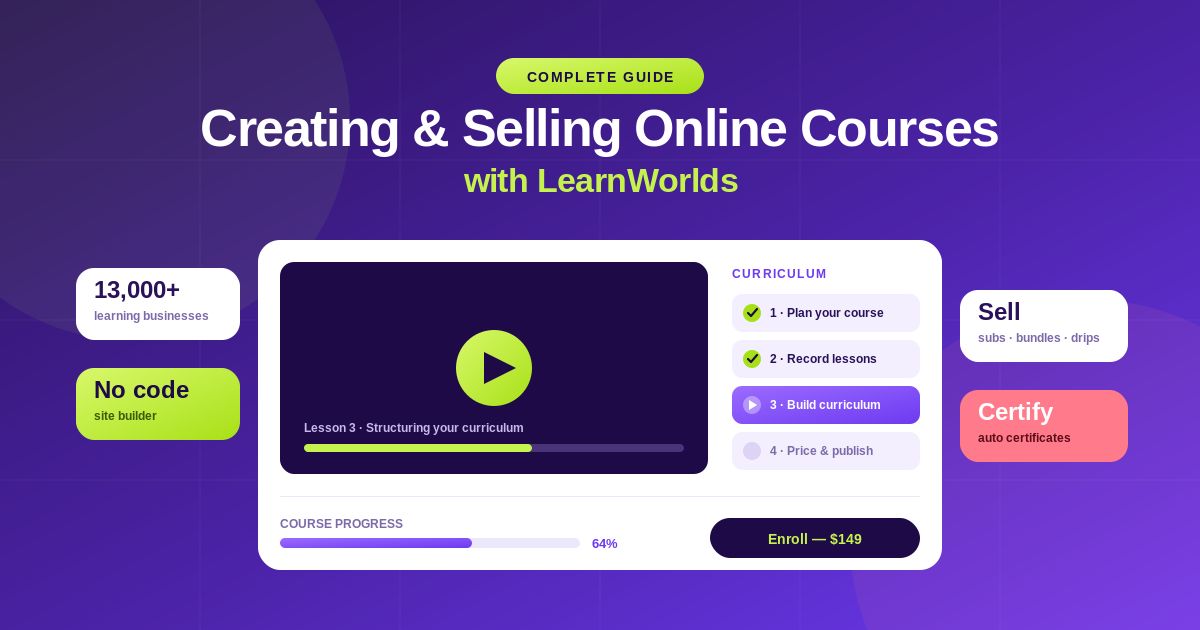
How to Create and Sell an Online Course Using LearnWorlds
Creating an online course can be a great way to share your knowledge, teach a valuable skill, or build a digital education business. However, turning an idea into a professional course requires more than simply recording videos. You need a structured curriculum, an attractive learning environment, a payment system, and a way to promote your course.
LearnWorlds brings these functions together in one platform. You can create courses, build a branded online school, add interactive learning content, use AI-assisted tools, manage students, accept payments, and track course performance.
Here is a step-by-step guide to creating and selling your first course with LearnWorlds.
Step 1: Create Your LearnWorlds Account
Start by creating your LearnWorlds account.
During the initial setup, provide basic information such as:
School name
Website address
Language
Time zone
Once your school is created, you’ll be taken to the administration dashboard.
Step 2: Decide What Your Course Will Teach
Before opening the course builder, define your course idea.
Ask yourself:
Who is the course for?
What problem will it solve?
What will students learn?
What should students be able to do after completing it?
For example:
Course: Digital Marketing for Beginners
Target audience: Small-business owners
Outcome: Students learn how to create a basic digital marketing strategy.
Having a clear outcome makes the rest of the course-building process easier.
Step 3: Create Your Course
Open the course creation section and create a new course.
Add:
Course title
Description
Course image
Instructor information
Category
Write a clear description explaining what students will learn and who the course is designed for.
Step 4: Build Your Curriculum
Break the course into logical sections and lessons.
For example:
Module 1: Introduction
Module 2: SEO Basics
Module 3: Social Media Marketing
Module 4: Email Marketing
Module 5: Paid Advertising
Module 6: Final Project
Keep the structure simple and make sure each module contributes to the overall learning goal.
Step 5: Add Course Content
Add the learning materials students need.
You can use formats such as:
Videos
Text
PDFs
Audio
Quizzes
Assessments
Assignments
Interactive content
Live sessions
Using multiple formats can create a more engaging learning experience.
Step 6: Use LearnWorlds AI
LearnWorlds includes AI-assisted tools that can help speed up course creation.
You can use AI to assist with:
Course outlines
Lesson ideas
Learning objectives
Quiz questions
Summaries
Educational content
AI can save time, but always review and edit the output before publishing. Your expertise and teaching style should remain at the center of the course.
Step 7: Customize Your Online School
Use the website builder to create a branded learning environment.
Customize elements such as:
Logo
Colors
Fonts
Homepage
Navigation
Course catalog
Landing pages
Try to keep the design consistent with your brand.
Step 8: Create a Course Sales Page
Your sales page should answer three important questions:
What is the course?
Explain the topic clearly.
Who is it for?
Describe your ideal student.
What will students gain?
Highlight the skills, knowledge, or results they can expect.
Also consider adding:
Course curriculum
Instructor information
Testimonials
FAQs
Pricing
Enrollment button
Step 9: Set Your Course Price
Choose a pricing model that fits your business.
Depending on your setup, you can offer:
Free access
One-time purchase
Subscription
Membership
Course bundles
Research competing courses and consider the value you’re providing before choosing your price.
Step 10: Connect Payment Methods
Set up the payment methods supported by your LearnWorlds configuration.
Before launching, test the checkout process to make sure:
Payment works correctly.
Students receive access.
Confirmation messages are working.
The correct course is assigned after purchase.
Step 11: Add a Certificate
If appropriate, offer a certificate when students complete the course.
Certificates can be useful for professional development, training programs, and skill-based courses.
Step 12: Test the Course
Before making your course available to the public, test it from a student’s perspective.
Check:
Videos
Audio
PDFs
Quizzes
Navigation
Course progress
Mobile experience
Checkout
Student access
Fix any problems before launch.
Step 13: Publish Your Course
Once everything is ready, publish the course.
Before going live, check the complete process:
Sales page → Checkout → Payment → Enrollment → Course access
This helps prevent common launch problems.
Step 14: Promote Your Course
Creating a great course isn’t enough. You also need to attract students.
Promote your course through:
Social media
Email marketing
SEO
Blog posts
YouTube
Affiliate marketing
Paid advertising
Free educational content
Create useful content around your course topic to attract people who may eventually become students.
Step 15: Track Student Performance
After launch, use LearnWorlds analytics to monitor your course.
Look at:
Enrollments
Course completion
Learner engagement
Assessment results
Student activity
Revenue
If many students stop at the same lesson, review that section and consider improving it.
Step 16: Improve Your Course
Use student feedback and analytics to continuously improve your course.
You can:
Update outdated lessons
Add new examples
Improve explanations
Add quizzes
Replace poor-quality videos
Create additional resources
A course should evolve as your audience and subject matter change.
Best Practices for Selling Courses
Focus on the Outcome
Tell potential students what they will be able to accomplish after completing the course.
Create a Strong Sales Page
Clearly explain the problem, solution, course benefits, curriculum, and value.
Use AI Responsibly
AI can help you work faster, but review every important piece of AI-generated educational content.
Keep Learning Content Practical
Use real examples, exercises, and activities instead of only providing theory.
Collect Student Feedback
Ask students what they found useful and where they experienced difficulties.
Monitor Your Numbers
Review enrollments, completion rates, engagement, and revenue regularly.
Common Mistakes to Avoid
Choosing a course topic without understanding the target audience.
Creating an unclear curriculum.
Making lessons unnecessarily long.
Publishing without testing.
Using AI content without reviewing it.
Ignoring student feedback.
Having a weak sales page.
Launching a course without a marketing strategy.
Frequently Asked Questions
Can beginners create courses with LearnWorlds?
Yes. LearnWorlds provides course creation, website-building, and AI-assisted tools that can help beginners build an online school.
Can I sell my course through LearnWorlds?
Yes. LearnWorlds supports different course monetization options, depending on your plan and configuration.
Can I use AI to create my course?
Yes. LearnWorlds provides AI-assisted tools that can help with course planning and content creation.
Can I create a branded course website?
Yes. LearnWorlds provides website customization tools that allow you to create a branded online school.
Can I track student progress?
Yes. LearnWorlds provides learner management, analytics, and reporting features to help you understand course performance.
Conclusion
LearnWorlds makes it possible to create and sell an online course without building an entire learning platform from scratch. You can create your curriculum, add interactive content, customize your online school, set pricing, accept payments, and monitor students from one platform.
The most important part is not simply getting your course online. Focus on creating a clear learning outcome, useful content, an easy-to-follow curriculum, and a strong student experience.
Once your course is launched, use analytics and student feedback to improve it continuously. With the right content and marketing strategy, LearnWorlds can provide a strong foundation for building and growing an online education business.