Tutorial
How to Use beehiiv: A Complete Tutorial for Creating, Growing, and Monetizing a Newsletter
Deals Stacks
How to Use beehiiv: A Complete Tutorial for Creating, Growing, and Monetizing a Newsletter
Starting a newsletter can be a great way to build an audience, share your knowledge, grow a personal brand, or create a new source of income. But managing a newsletter involves more than simply writing an email and sending it to subscribers.
You need a place to publish your content, manage subscribers, understand your audience, grow your list, automate important communication, and eventually monetize your work.
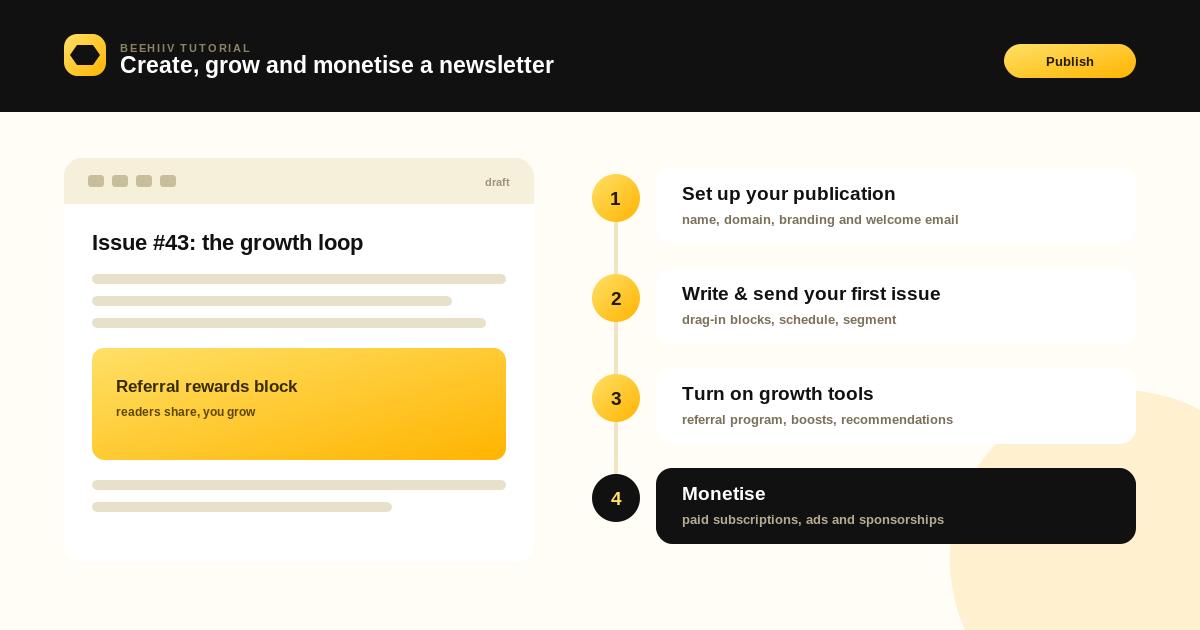
beehiiv brings these activities together in one platform. It is designed specifically for newsletter creators, publishers, brands, and businesses that want to create content, grow an audience, and turn that audience into a business.
The current beehiiv platform organizes its main tools around Publish, Audience, Monetize, and Grow, making it easier to find newsletter publishing, subscribers, automations, monetization, recommendations, and referral features.
In this tutorial, we’ll walk through how to use beehiiv from the beginning and explain how to build a newsletter that can grow over time.
Step 1: Decide What Your Newsletter Will Be About
Before creating your beehiiv account, decide what your newsletter will focus on.
This is one of the most important decisions you’ll make because your topic affects your audience, content strategy, growth opportunities, and monetization options.
Your newsletter could focus on:
AI and technology
Marketing
Business
Finance
Career advice
Productivity
Personal development
Sports
Industry news
Education
Creator economy
A specific hobby or interest
Try to choose a topic that is specific enough to attract a particular audience.
For example, instead of creating a newsletter called:
Technology News
you could create:
AI Tools for Small Businesses
The second idea immediately tells potential subscribers what they will receive.
Step 2: Create Your beehiiv Account
Once you know your topic, create your beehiiv account.
The setup process is designed to be straightforward. After creating and verifying your account, beehiiv asks you to provide basic publication information and choose whether you’re a beginner or more experienced user.
You’ll typically need to provide information such as:
Newsletter name
Publication URL
Newsletter topic
Logo
Basic account information
Choose your newsletter name carefully because it becomes part of your overall brand.
For example:
AI Growth Weekly
sounds very different from:
Nisha’s AI Newsletter
Both can work, but they create different expectations for the audience.
Step 3: Set Up Your Publication
After creating your account, configure the basic details of your publication.
Add:
Newsletter name
Logo
Description
Brand colors
Publication URL
Default language
Sender information
Your publication should look professional before you start promoting it.
Also think about your newsletter’s personality.
Will it be:
Professional and educational?
Friendly and conversational?
Short and news-focused?
Detailed and research-driven?
Choose a style that fits your audience and stay consistent with it.
Step 4: Create Your Newsletter Branding
Your newsletter should have a recognizable identity.
Start with a simple design system.
Choose:
Logo
Use a clear logo that works well at small sizes.
Colors
Choose a small number of brand colors rather than using many different colors.
Typography
Use fonts that are easy to read.
Writing Style
Decide whether your content will sound formal, casual, educational, or conversational.
You don’t need an elaborate design.
A clean and readable newsletter is usually more effective than one filled with unnecessary visual elements.
Step 5: Create Your First Newsletter
Now it’s time to create your first newsletter.
In the current beehiiv interface, you can use the + New button from the left-side navigation to start creating a newsletter post. The Newsletter area is where you can create, manage, and send posts.
Start with a simple newsletter.
For example:
Subject
5 AI Tools Every Small Business Should Know
Introduction
Briefly explain what readers will learn.
Main Content
Explain the five tools.
Personal Insight
Share your opinion or recommendation.
Call to Action
Ask readers to visit your website, reply, share the newsletter, or explore another article.
Don’t worry about making your first newsletter perfect.
Your goal is to create a useful experience for your readers.
Step 6: Use the Newsletter Editor
The beehiiv editor allows you to write and format your newsletter without needing to build the entire email manually with code.
You can organize your content using:
Headings
Paragraphs
Images
Links
Buttons
Embeds
Other content elements
You can also create templates for recurring newsletter formats.
For example, if you publish every Monday, you might create a structure like:
Monday AI Brief
→ Top AI Story
→ Three Quick Updates
→ Tool of the Week
→ Practical Tip
→ Recommended Resource
→ Final CTA
Using a consistent format can make your newsletter easier and faster to produce.
Step 7: Write a Strong Subject Line
Your subject line is one of the first things subscribers see.
A good subject line should give readers a reason to open the email.
Instead of:
Weekly Newsletter #12
try:
5 AI Tools That Can Save You Hours
Or:
What Changed in AI This Week?
Keep the subject line clear and relevant.
Don’t use misleading headlines simply to increase opens. Your content should deliver what the subject line promises.
Step 8: Write an Engaging Introduction
The first few lines of your newsletter are important.
Don’t spend too much time with a long introduction.
Start by telling readers why the content matters.
For example:
AI tools are becoming easier to use, but choosing the right ones can still be difficult. This week, we’re looking at five tools that can help small businesses automate repetitive work.
This immediately tells readers what they’re going to get.
Step 9: Add a Clear Call to Action
Every newsletter doesn’t necessarily need to sell something.
But it should usually have a clear next step.
Your CTA could ask readers to:
Read an article
Visit your website
Try a product
Share the newsletter
Reply to the email
Join a community
Upgrade to a paid subscription
Download a resource
For example:
Read the Full Guide
is much clearer than:
Click Here
Step 10: Send a Welcome Email
Your relationship with a subscriber starts immediately after they join your newsletter.
Set up a welcome email that explains what they can expect.
A good welcome email can include:
Thank-you message
Introduction to the newsletter
Publishing schedule
Most popular content
Helpful resources
Social links
What to do next
For example:
Thanks for joining AI Growth Weekly. Every Monday, you’ll receive practical AI tips, useful tools, and the latest developments explained in simple language.
beehiiv includes welcome-email settings as part of its publication setup resources.
Step 11: Import Existing Subscribers
If you’re moving from another newsletter platform, you don’t necessarily need to start from zero.
You can bring your existing subscribers into beehiiv and continue building your publication.
Before importing a list, make sure you have permission to email those subscribers and that your list follows applicable email marketing rules.
Clean your list before importing it.
Remove:
Invalid addresses
Unwanted contacts
Duplicate subscribers
People who previously unsubscribed
A clean audience is more valuable than a large but inactive list.
Step 12: Create Subscriber Segments
As your audience grows, not everyone will have the same interests.
Segmentation lets you organize subscribers based on useful information or behavior.
For example, you could create segments for:
New subscribers
Highly engaged readers
Inactive subscribers
Paid subscribers
Subscribers interested in AI
Subscribers interested in marketing
Subscribers from a particular signup source
This allows you to make your communication more relevant.
Instead of sending everything to everyone, you can create content that better matches different audience groups.
Step 13: Create Signup Forms
You need an easy way for people to join your newsletter.
beehiiv supports subscribe forms that can be added to external websites such as blogs, stores, portfolios, or other websites. These forms can collect subscriber information and add new signups to your beehiiv audience.
Your signup form should explain the benefit of subscribing.
Instead of:
Subscribe
try:
Get practical AI and marketing tips every Monday.
That gives visitors a reason to join.
Step 14: Place Signup Forms Strategically
Don’t hide your signup form at the bottom of one page.
Consider placing it in useful locations such as:
Homepage
Blog sidebar
Blog articles
Landing pages
Exit areas
Resource pages
About page
You can also create dedicated landing pages for your newsletter.
The important thing is to make subscribing simple.
Step 15: Set Up Automations
Automations can save you time and create a better subscriber experience.
For example, you could create a simple welcome journey:
Subscriber joins
↓
Welcome email
↓
Best content email
↓
Useful resource
↓
Newsletter introduction
Automation is especially helpful when you have a growing audience.
beehiiv’s current Audience area includes Automations, and its platform resources support workflows that can be triggered by subscriber activity.
Step 16: Create a Referral Program
Once you have subscribers, encourage them to help grow your newsletter.
A referral program rewards existing subscribers when they bring in new readers.
For example:
Refer 3 friends → Get a bonus guide
Refer 5 friends → Get exclusive content
Refer 10 friends → Get a special reward
beehiiv has a built-in referral program designed specifically for newsletter growth.
Keep the rewards relevant to your audience.
You don’t always need to offer expensive physical products. Digital resources, premium content, or exclusive access can also work well.
Step 17: Use Recommendations to Grow
Recommendations can help you connect with other newsletters and introduce readers to relevant publications.
For example, if you publish a newsletter about digital marketing, you might recommend another publication focused on entrepreneurship.
This can create opportunities for audience discovery.
The goal isn’t simply to recommend as many newsletters as possible. Choose publications that genuinely make sense for your readers.
beehiiv currently provides recommendation tools as part of its Growth features.
Step 18: Experiment With Paid Growth
Once your newsletter has a clear value proposition, you can explore paid subscriber acquisition.
Paid growth can be useful, but don’t spend money before understanding your audience.
First figure out:
Who subscribes?
Which content they like?
How engaged they are?
How much a subscriber is worth?
How many subscribers become active readers?
Then test paid acquisition carefully.
Start small and measure the results.
Step 19: Monitor Newsletter Analytics
After sending newsletters, don’t simply move on to the next one.
Look at your performance data.
Important metrics can include:
Subscriber growth
Open rates
Click rates
Unsubscribe rates
Engagement
Referral performance
Revenue
beehiiv provides centralized analytics and reporting for newsletter performance and audience growth.
Use the data to understand what your readers actually want.
Step 20: Improve Your Content Based on Data
Suppose you notice that:
AI tutorials → High clicks
General news → Low clicks
That is useful information.
You might decide to publish more practical AI tutorials.
Likewise, if a particular newsletter subject line performs well, look for the reason.
Maybe it was:
More specific
More useful
More timely
More curiosity-driven
Don’t copy the same formula forever, but use your data to guide future experiments.
Step 21: Choose a Monetization Strategy
Once your audience starts growing, you can think about monetization.
There are several possible approaches.
Paid Subscriptions
Offer premium content to paying subscribers.
Advertising
Earn revenue by displaying relevant advertisements.
Sponsorships
Work with brands that want to reach your audience.
Digital Products
Sell:
Courses
Ebooks
Templates
Guides
Reports
Affiliate Marketing
Recommend relevant products and earn commissions where appropriate.
beehiiv currently provides multiple monetization options, including paid subscriptions, advertising, sponsorship opportunities, and digital products.
Step 22: Set Up Paid Subscriptions
If your newsletter provides specialized knowledge, you can create a premium version.
For example:
Free
Weekly newsletter
General insights
Selected resources
Premium
Detailed research
Exclusive reports
Advanced analysis
Premium articles
Members-only content
The premium offering needs to provide a clear reason for readers to pay.
Don’t simply put your existing free content behind a paywall.
Give paying subscribers something genuinely more valuable.
Step 23: Explore Newsletter Advertising
Advertising can become another source of revenue as your audience grows.
The important thing is to protect reader trust.
Don’t accept every advertisement just because it pays.
Choose sponsors that are relevant to your audience.
For example, a newsletter about AI could potentially work with brands offering:
AI software
Productivity tools
Developer platforms
Business software
Relevant advertising feels more natural and useful.
Step 24: Try Paid Recommendations
beehiiv also provides paid recommendation opportunities.
This allows publishers to earn revenue by recommending other publications to new subscribers.
The current system allows publishers on eligible paid plans to discover paid offers, apply to them, and earn a specified amount for verified subscribers they send to another publication.
Again, relevance matters.
Only recommend publications that make sense for your audience.
Step 25: Build a Consistent Publishing Schedule
Consistency is one of the most important parts of newsletter growth.
Choose a schedule you can actually maintain.
For example:
Weekly: Every Monday
or
Twice a week: Tuesday and Friday
or
Daily: Short industry updates
Don’t choose daily publishing simply because it sounds impressive.
If you can consistently create one excellent newsletter every week, that is often better than publishing every day and running out of useful ideas.
Step 26: Promote Your Newsletter
Your newsletter needs visibility.
You can promote it through:
Social media
Blog content
YouTube
Podcasts
Online communities
Partnerships
Referral programs
Guest appearances
SEO
Your existing website
A useful strategy is to turn one newsletter into multiple pieces of content.
For example:
Newsletter
↓
Blog article
↓
LinkedIn post
↓
Short video
↓
Social media post
This helps you reach people across different channels without creating completely new content every time.
Step 27: Build a Relationship With Your Readers
Don’t treat your subscribers like numbers.
Encourage them to interact with you.
Ask questions such as:
What topic should we cover next?
Which tool are you currently using?
What is your biggest challenge?
You can also invite readers to reply to your emails.
These interactions can help you understand your audience and create better content.
Step 28: Keep Improving Your Newsletter
A successful newsletter is rarely perfect from day one.
Keep experimenting with:
Subject lines
Newsletter length
Content formats
Publishing times
CTAs
Images
Referral rewards
Signup pages
Premium offers
Make one or two changes at a time so you can understand what actually affects performance.
Simple beehiiv Growth Workflow
You can think of the entire process like this:
Create
↓
Publish
↓
Collect Subscribers
↓
Engage
↓
Analyze
↓
Grow
↓
Monetize
↓
Improve
This cycle can continue as your publication grows.
Common Mistakes to Avoid
Publishing Without a Clear Topic
If readers don’t understand what your newsletter is about, they have little reason to subscribe.
Focusing Only on Subscriber Numbers
A large audience isn’t useful if nobody opens or reads your content.
Sending Too Many Promotions
If every newsletter feels like an advertisement, readers may lose interest.
Ignoring Analytics
Your performance data can tell you what your audience actually wants.
Inconsistent Publishing
Long periods of silence can make readers forget why they subscribed.
Trying to Monetize Too Early
Build trust and value before aggressively selling to your audience.
Making the Newsletter Too Complicated
Good content and clear communication are more important than excessive design.
Final Thoughts
beehiiv gives newsletter creators a complete environment for creating, publishing, growing, analyzing, and monetizing an audience.
The best way to use the platform is not to activate every feature immediately. Start with the basics.
Create a clear publication, build a simple newsletter format, publish useful content consistently, and make it easy for people to subscribe.
Once you have an engaged audience, introduce growth tools such as referrals and recommendations. Then use analytics to understand what works and gradually explore monetization through subscriptions, advertising, sponsorships, or digital products.
The most important part of the process is your content.
A newsletter platform can provide the technology, but your ideas, expertise, consistency, and relationship with your readers are what ultimately make a newsletter successful.
Start small, learn from your audience, and improve with every issue. Over time, your newsletter can become much more than an email list—it can become a recognizable brand, a community, and a sustainable digital business.


