How-to
How to Use Donorbox: A Step-by-Step Guide to Setting Up Online Fundraising
Deals Stacks
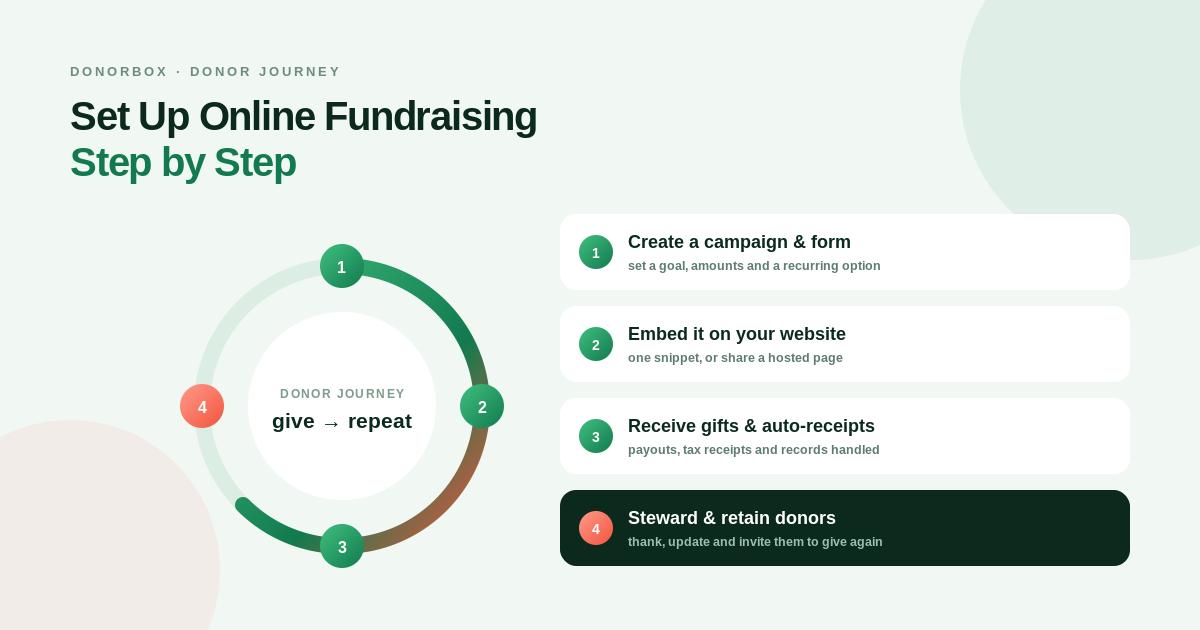
How to Use Donorbox for Online Fundraising
Donorbox makes it easier for nonprofits, charities, churches, schools, and community organizations to collect donations online and manage fundraising activities.
Whether you’re creating your first donation form or building a larger fundraising campaign, you can use Donorbox to manage the process from one centralized platform.
This guide explains how to use Donorbox step by step, from creating an account to collecting donations and managing supporters.
How to Get Started With Donorbox
The basic Donorbox workflow is:
Create Account → Set Up Organization → Connect Payments → Create Donation Form → Customize → Publish → Promote → Manage Donations
Let’s look at each step.
Step 1: Create a Donorbox Account
First, create your Donorbox account.
Provide your organization’s basic information and complete the initial setup.
Make sure the information accurately represents your nonprofit or organization because donors will see relevant details throughout the giving experience.
Step 2: Complete Your Organization Profile
Add important organization information, including:
Organization name
Logo
Website
Description
Contact details
A complete profile helps establish trust with potential donors.
Use a clear organization description that explains what your organization does and whom it helps.
Step 3: Connect Your Payment Processor
To receive online donations, connect an available payment processor.
Depending on your location and configuration, Donorbox can support different payment methods.
Before launching, check:
Available payment methods
Processing fees
Donor payment experience
Currency availability
Payout information
This ensures you’re ready to receive real donations.
Step 4: Create a Donation Form
From your Donorbox dashboard, create a new donation form.
Give it a clear name.
For example:
General Donation
Education Fund
Emergency Relief Campaign
Annual Fundraiser
Choose a name that makes the purpose of the form immediately understandable.
Step 5: Add Donation Amounts
Set suggested donation amounts.
For example:
$10
$25
$50
$100
Custom Amount
Suggested amounts help donors decide quickly while the custom option gives them flexibility.
Step 6: Enable Recurring Donations
If you want to receive ongoing contributions, enable recurring donations.
Depending on your setup, donors can be offered recurring giving options such as:
Monthly
Quarterly
Annually
Recurring donations can provide nonprofits with more predictable revenue.
Step 7: Customize Your Donation Form
Customize the donation form to match your organization.
Add your:
Logo
Branding
Campaign description
Donation amounts
Giving options
Donor questions
Avoid making the form unnecessarily complicated.
The goal should be:
Simple → Clear → Trustworthy → Easy to Complete
Step 8: Add Custom Donor Questions
Donorbox allows organizations to collect additional information through donation forms.
You might ask donors:
Which program would you like to support?
How did you hear about us?
Would you like campaign updates?
Would you like to receive our newsletter?
Only ask questions that are genuinely useful.
Too many fields can make the donation experience less convenient.
Step 9: Create a Fundraising Campaign
If you’re raising money for a specific goal, create a dedicated fundraising campaign.
For example:
Help Build a Community Center
Goal: $50,000
Explain:
What you’re raising money for
Why the project matters
How donations will be used
Who will benefit
What the fundraising goal is
Step 10: Write Your Campaign Story
A strong campaign story should be easy to understand.
Use this structure:
The Problem
Explain what needs to be solved.
The Solution
Explain what your organization is doing.
The Impact
Explain how donations will help.
The Goal
Explain how much money you need.
The Call to Action
Tell people how they can contribute.
Step 11: Create Your Fundraising Page
Build a dedicated fundraising page for your campaign.
Include:
Campaign title
High-quality images
Campaign story
Fundraising goal
Donation form
Recurring donation option
Progress information
Make sure visitors can quickly understand the purpose of the campaign.
Step 12: Add Donorbox to Your Website
You can integrate Donorbox into your organization’s website.
Place the donation experience in locations where visitors are likely to see it.
Good locations include:
Homepage
Donate page
Campaign page
Blog
Event page
Navigation menu
Make the Donate button easy to find.
Step 13: Create a Dedicated Donate Page
If your organization doesn’t have one, create a dedicated donation page.
A good donation page includes:
Why Donate
↓
How Your Donation Helps
↓
Donation Form
↓
Recurring Giving Option
↓
Thank You / Impact Message
Keep the page focused on fundraising.
Step 14: Test the Donation Experience
Before promoting your campaign, test the entire process.
Check:
Donation form
Suggested amounts
Custom amount
Recurring giving
Payment options
Confirmation
Email notifications
Donor information
Testing helps identify problems before real donors encounter them.
Step 15: Check the Mobile Experience
Open your donation page on a smartphone.
Make sure:
Buttons are easy to tap
Text is readable
Forms work correctly
Images load properly
Payment options are accessible
The page doesn’t feel crowded
A mobile-friendly donation experience is essential for online fundraising.
Step 16: Publish Your Campaign
Once everything works correctly, publish the campaign.
Your campaign is now ready to share with supporters.
But publishing is only the beginning.
You also need to promote it.
Step 17: Promote Your Campaign
Share your campaign through:
Website
Email
Social media
Community groups
Events
Supporter networks
Use different messages for different channels.
For example:
Email: Tell the complete campaign story.
Social Media: Use short, emotional updates.
Website: Provide detailed campaign information.
Step 18: Use Email to Reach Existing Supporters
Email is particularly useful for reaching people who already know your organization.
A simple campaign sequence could be:
Email 1: Campaign announcement
Email 2: Why the campaign matters
Email 3: Progress update
Email 4: Impact story
Email 5: Final reminder
Don’t send the same message repeatedly.
Step 19: Encourage Recurring Donations
Make recurring giving visible throughout your fundraising campaign.
Explain the difference between one-time and recurring support.
For example:
$25 One-Time
vs.
$10 Every Month
Explain what ongoing support can accomplish.
Step 20: Use Peer-to-Peer Fundraising
You can also expand your campaign through supporters.
Instead of asking only your organization to promote the campaign, encourage supporters to share the fundraising campaign with their own networks.
The model is:
Organization → Supporter → Personal Network → New Donors
This can help reach people outside your existing audience.
Step 21: Manage Your Donors
As donations arrive, use Donorbox’s donor-management capabilities to organize supporter information.
Review:
Donor history
Donation amount
Donation frequency
Recurring status
Campaign participation
This can help your team understand donor behavior.
Step 22: Identify Recurring Donors
Separate recurring donors from one-time donors when planning communications.
Recurring supporters may be particularly valuable because they provide ongoing contributions.
Consider sending them:
Impact updates
Special appreciation messages
Program updates
Recurring donor milestones
Step 23: Thank Every Donor
A simple thank-you message can improve the donor experience.
For example:
“Thank you for supporting our campaign. Your contribution helps us continue our work and create a meaningful impact in the community.”
Make the message specific whenever possible.
Step 24: Share the Impact
Don’t only tell donors that you received their money.
Show them what their support achieved.
For example:
$500 raised → 50 students received supplies
$2,000 raised → Community program expanded
$10,000 raised → New project launched
Impact reporting can strengthen donor relationships.
Step 25: Use Donor Activity Insights
Pay attention to important donor activity.
Examples can include:
First donation
Recurring donation cancellation
Increased recurring donation
Donation anniversary
These moments can provide opportunities for personalized communication.
Step 26: Manage Fundraising Events
If your organization runs fundraising events, Donorbox can also be used as part of the event fundraising workflow.
You can combine:
Event → Registration/Tickets → Donations → In-Person Giving → Follow-Up
This can make event fundraising more organized.
Step 27: Use Live Kiosk for In-Person Donations
For physical events, Donorbox Live Kiosk can provide another way to collect donations.
It can be useful at:
Charity events
School fundraisers
Church events
Community gatherings
Conferences
This gives supporters an alternative to traditional cash donations.
Step 28: Monitor Your Fundraising Results
Regularly review your campaign performance.
Important metrics include:
Total donations
Number of donors
Average donation
Recurring donations
Campaign progress
Donor retention
Use these numbers to understand what’s working.
Step 29: Improve Underperforming Campaigns
If a campaign isn’t receiving enough donations, look at the entire donor journey.
Ask:
Is the goal clear?
Is the story compelling?
Is the donation form easy?
Is recurring giving visible?
Is the campaign being promoted enough?
Does the page work well on mobile?
Fixing these areas can improve the overall experience.
Step 30: Connect Donorbox With Other Tools
As your nonprofit grows, you may want to connect Donorbox with other systems.
Depending on your workflow, integrations can help connect fundraising with:
CRM
Email marketing
Accounting
Analytics
Automation
This can reduce repetitive administrative tasks.
Step 31: Automate Donor Follow-Up
A simple automated workflow can look like:
Donation Received
↓
Donor Record Updated
↓
Thank-You Message
↓
Donor Segmentation
↓
Impact Update
↓
Future Fundraising Communication
Automation can help your team maintain communication without manually handling every step.
Step 32: Review Your Fundraising Strategy
After a campaign ends, analyze the results.
Ask:
Which channel brought the most donors?
How many donors became recurring supporters?
Which donation amount was most popular?
How many previous donors returned?
Which campaign message performed best?
Use these insights to improve future campaigns.
How to Get Better Results With Donorbox
Keep Forms Short
Only request essential information.
Make Recurring Giving Easy
Give donors a clear recurring option.
Use Strong Campaign Stories
People need to understand the impact of their donation.
Show Real Progress
Keep supporters updated throughout the campaign.
Optimize for Mobile
Make sure the donation process works smoothly on smartphones.
Follow Up
Continue communicating with supporters after they donate.
Common Mistakes to Avoid
Making the Donation Page Too Complicated
Keep the experience simple.
Hiding the Donate Button
Make your donation option easy to find.
Ignoring Recurring Giving
Recurring contributions can support long-term fundraising.
Asking for Too Much Information
Only collect information your organization actually needs.
Not Testing Payments
Always test the complete donation journey before launch.
Failing to Report Impact
Show supporters what their contributions accomplished.
Final Verdict
Donorbox can be used to manage much more than a simple online donation form.
Organizations can use it to create donation forms, recurring giving campaigns, fundraising pages, peer-to-peer campaigns, events, memberships, donor-management workflows, and in-person fundraising experiences.
The best way to get started is to keep your first campaign simple:
Create Account → Set Up Organization → Connect Payments → Create Donation Form → Add Recurring Giving → Build Campaign → Publish → Promote → Manage Donors → Track Results
Once the basic system is working, you can expand into peer-to-peer fundraising, events, donor segmentation, automation, and more advanced fundraising strategies.
For nonprofits looking to build a structured online fundraising workflow, Donorbox provides a practical starting point for turning website visitors and supporters into long-term donors.


