Comparison
Hubstaff vs Time Doctor: Which Employee Time Tracking Software Is Better?
Deals Stacks
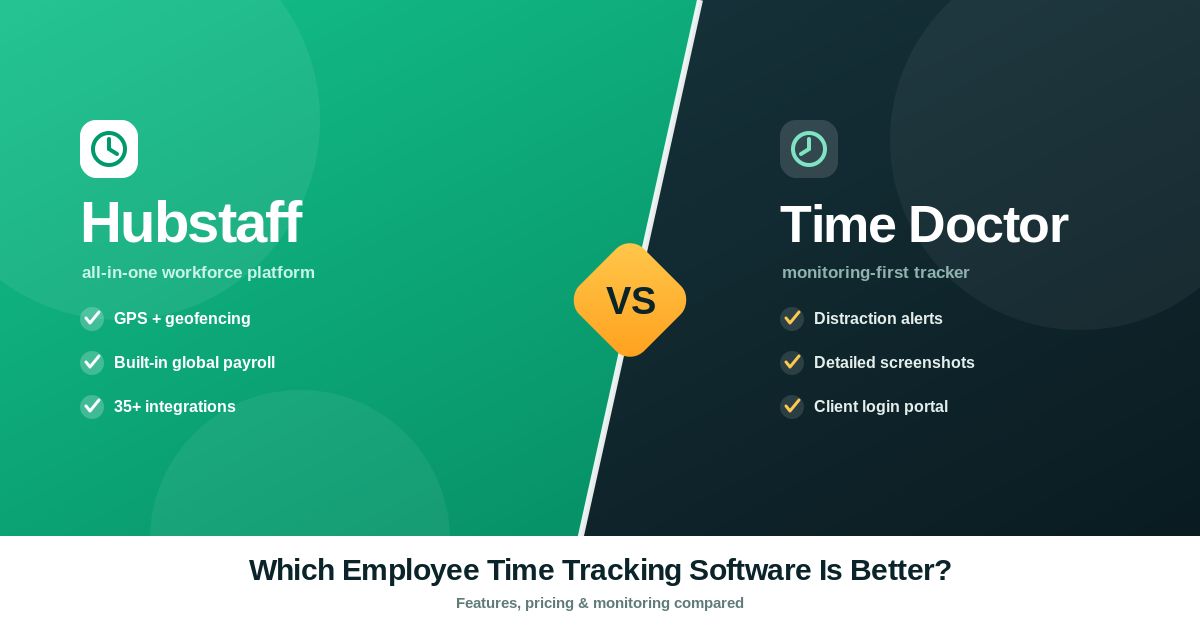
Hubstaff vs Time Doctor: Which Employee Time Tracking Software Is Better?
Managing employee productivity has become more important as businesses continue to adopt remote and hybrid work models. Companies need reliable software to track work hours, manage projects, automate payroll, and gain better visibility into team performance.
Two popular workforce management platforms are Hubstaff and Time Doctor. Both help businesses monitor employee time and improve productivity, but they are designed with slightly different priorities.
Hubstaff focuses on time tracking, project management, GPS tracking, scheduling, payroll, and workforce management, making it a strong choice for businesses managing office, remote, and field employees.
Time Doctor focuses more heavily on employee productivity monitoring, distraction management, and workforce analytics, making it popular among companies that want detailed insights into employee work habits.
This comparison will help you understand which platform is better for your business.
Hubstaff vs Time Doctor: Quick Comparison
Feature | Hubstaff | Time Doctor |
|---|---|---|
Time Tracking | ✅ Excellent | ✅ Excellent |
Employee Monitoring | ✅ Yes | ✅ Advanced |
Productivity Reports | ✅ Yes | ✅ Advanced |
GPS Tracking | ✅ Yes | ❌ No |
Payroll Automation | ✅ Yes | Limited |
Employee Scheduling | ✅ Yes | Limited |
Project Management | ✅ Yes | Basic |
Screenshots | Optional | Optional |
App & URL Tracking | Yes | Yes |
Integrations | Extensive | Extensive |
Best For | Remote, hybrid & field teams | Productivity-focused remote teams |
What Is Hubstaff?
Hubstaff is a workforce management platform that combines:
Time tracking
Project management
Employee scheduling
Payroll automation
GPS tracking
Productivity reporting
Team management
It is ideal for businesses that need an all-in-one workforce management solution.
What Is Time Doctor?
Time Doctor is employee productivity software designed to help businesses understand how employees spend their working hours.
It includes:
Time tracking
Employee monitoring
Productivity reports
Website & application tracking
Screenshot capture
Attendance tracking
Workforce analytics
It focuses more heavily on employee productivity insights than operational management.
1. Time Tracking
Both platforms provide reliable time tracking.
Employees can:
Start timers
Track project hours
Record attendance
Generate timesheets
Both platforms perform very well in this category.
Winner
Tie
2. Employee Monitoring
Hubstaff offers productivity tracking while balancing workforce management features.
Time Doctor provides more detailed productivity monitoring, including application usage and work pattern analysis.
Winner
Time Doctor
3. Project Management
Hubstaff includes project tracking, budgeting, scheduling, and workload management.
Time Doctor offers project tracking but focuses less on project management.
Winner
Hubstaff
4. Payroll
Hubstaff simplifies payroll by automatically calculating employee work hours and supporting payroll workflows.
Time Doctor includes payroll support but provides fewer payroll management capabilities.
Winner
Hubstaff
5. GPS Tracking
Hubstaff offers GPS tracking for businesses managing field employees.
This feature is useful for:
Delivery services
Construction companies
Field technicians
Cleaning companies
Healthcare workers
Time Doctor does not focus on GPS workforce tracking.
Winner
Hubstaff
6. Productivity Reports
Time Doctor provides detailed productivity reports, including application usage, idle time, and productivity trends.
Hubstaff also offers reports but emphasizes workforce management alongside productivity.
Winner
Time Doctor
7. Employee Scheduling
Hubstaff includes built-in scheduling features that help managers assign shifts and manage workloads.
Time Doctor offers more limited scheduling functionality.
Winner
Hubstaff
8. Ease of Use
Both platforms have modern dashboards.
Hubstaff’s interface is generally easier for organizations managing projects, payroll, and employees together.
Time Doctor may require additional setup for businesses focused on productivity monitoring.
Winner
Hubstaff
9. Integrations
Both integrate with many business applications.
Examples include:
Trello
Asana
Jira
Slack
QuickBooks
Zapier
ClickUp
Winner
Tie
10. Pricing
Both offer multiple subscription plans.
Pricing depends on:
Team size
Features
Billing cycle
Because pricing changes over time, check each company’s official pricing page before making a purchase decision.
Pros and Cons
Hubstaff Pros
Easy time tracking
GPS tracking
Payroll automation
Employee scheduling
Project budgeting
Strong reporting
Excellent for remote and field teams
Hubstaff Cons
Some advanced features require higher plans
Monitoring features should be implemented transparently
Time Doctor Pros
Excellent productivity analytics
Detailed work reports
Strong employee monitoring
Good distraction management
Useful workforce insights
Time Doctor Cons
No GPS tracking
Fewer workforce management features
More focused on monitoring than project operations
Who Should Choose Hubstaff?
Choose Hubstaff if you need:
Workforce management
Payroll automation
GPS tracking
Employee scheduling
Project budgeting
Remote and field employee management
Client billing based on tracked hours
Who Should Choose Time Doctor?
Choose Time Doctor if your priority is:
Productivity analytics
Employee monitoring
Work pattern analysis
Website and app usage reports
Managing remote knowledge workers
Frequently Asked Questions
Is Hubstaff better than Time Doctor?
Hubstaff is better for businesses that need workforce management, project tracking, scheduling, GPS tracking, and payroll. Time Doctor is stronger for organizations primarily focused on employee productivity monitoring and work analytics.
Which software is better for remote teams?
Both support remote teams. Hubstaff offers broader workforce management capabilities, while Time Doctor provides deeper productivity insights.
Does Hubstaff include GPS tracking?
Yes. Hubstaff includes GPS tracking for businesses managing employees who work outside the office.
Which software has better productivity monitoring?
Time Doctor generally provides more detailed productivity monitoring and work behavior analytics.
Which platform is easier to use?
Hubstaff is generally easier for businesses that need an all-in-one workforce management platform.
Final Verdict
Both Hubstaff and Time Doctor are excellent employee time-tracking platforms, but they serve different business needs.
Choose Hubstaff if you want a complete workforce management solution with time tracking, project management, payroll automation, employee scheduling, GPS tracking, and productivity reporting. It is particularly well suited for remote, hybrid, and field-based teams.
Choose Time Doctor if your primary goal is to gain deeper insights into employee productivity, work habits, and application usage. Its advanced monitoring and analytics features make it a strong choice for organizations that prioritize performance analysis.
The best option depends on how your business operates. If you need to manage projects, teams, payroll, and field employees from one platform, Hubstaff offers a more comprehensive solution. If detailed productivity monitoring is your highest priority, Time Doctor may be the better fit.


