Guide
Webflow: Complete Guide to Website Building, Design, CMS, and Web Development
Deals Stacks
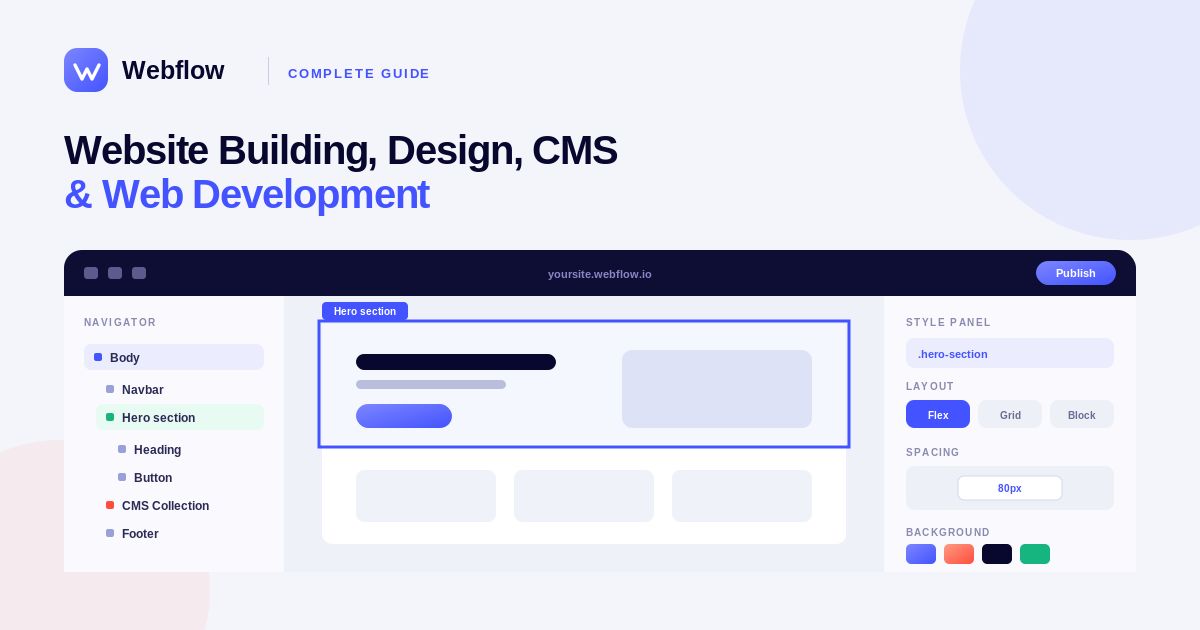
Webflow: Complete Guide to Website Building, Design, CMS, and Web Development
Webflow is a visual website development platform that allows designers, developers, businesses, and marketers to create, design, manage, and publish professional websites. It combines visual web design with powerful development and content management capabilities, allowing users to build responsive websites without depending entirely on traditional coding.
Webflow is especially popular among designers and teams that want more control over website layouts, animations, interactions, responsive behavior, and CMS content while still working through a visual interface.
What Is Webflow?
Webflow is a website experience platform that combines visual web design, CMS functionality, hosting, and development tools.
Unlike simple website builders that mainly rely on pre-designed templates, Webflow gives users detailed control over the structure and appearance of a website.
Businesses can use Webflow to create:
Business websites
Marketing websites
Landing pages
Blogs
Portfolio websites
Ecommerce websites
Content-driven websites
Custom web experiences
Key Features of Webflow
Webflow provides a broad range of website-building capabilities, including:
Visual website design
Responsive design
CMS
Website hosting
Custom animations
Interactions
SEO tools
Ecommerce
Forms
Custom code
Collaboration
Website publishing
Content management
Visual Website Design
One of Webflow’s main advantages is its visual design environment.
Instead of writing every piece of HTML and CSS manually, users can visually create layouts and style elements while Webflow generates the underlying web code.
Designers can work with:
Containers
Sections
Grids
Flexbox
Text
Images
Buttons
Forms
Navigation
Div blocks
This gives designers more control over website structure than many basic drag-and-drop website builders.
Responsive Web Design
Modern websites need to work across desktops, tablets, and smartphones.
Webflow provides responsive design controls that allow users to adjust layouts and styling for different screen sizes.
A designer can create a desktop layout and then customize how elements behave on smaller screens.
This helps businesses create websites that provide a consistent experience across different devices.
Webflow CMS
Webflow includes a content management system that allows users to create and manage structured content.
The CMS can be used for:
Blog posts
Case studies
Team members
Products
Locations
Resources
Events
Portfolio projects
For example, a company could create a CMS collection for blog posts and manage titles, images, authors, categories, and content from one centralized system.
CMS Collections
CMS Collections allow users to structure recurring content.
A collection can contain different fields such as:
Name
Image
Description
Date
Category
Author
URL
Rich text
Once a collection is created, users can design a template that automatically displays the relevant content.
This is useful for websites with large amounts of regularly updated information.
Website Hosting
Webflow also provides website hosting, allowing businesses to publish websites without managing traditional hosting infrastructure separately.
Hosting features can include:
SSL
CDN delivery
Website publishing
Custom domains
Website backups and security features
This means businesses can manage website design and hosting within the same ecosystem.
Webflow Interactions and Animations
Webflow is particularly well known for its interactions and animation capabilities.
Designers can create visual effects such as:
Scroll animations
Hover effects
Page transitions
Moving elements
Image reveals
Navigation animations
These features allow designers to create more engaging websites without manually developing every animation from scratch.
SEO Features
Search engine optimization is important for businesses that want their websites to attract organic traffic.
Webflow provides SEO controls that allow users to manage elements such as:
Page titles
Meta descriptions
URLs
Heading structures
Alt text
Sitemaps
Redirects
Webflow also provides tools that help developers and marketers create search-friendly website structures.
However, SEO performance still depends on factors such as content quality, site speed, technical implementation, backlinks, and overall search strategy.
Webflow Ecommerce
Webflow also supports ecommerce website development.
Businesses can use ecommerce functionality to create online stores and manage products, categories, shopping experiences, and checkout-related elements.
Ecommerce websites can be customized visually, giving designers more control over the appearance of product pages and storefronts.
Forms and Lead Generation
Webflow includes form functionality that businesses can use to collect information from website visitors.
Forms can be used for:
Contact requests
Newsletter subscriptions
Lead generation
Demo requests
Customer inquiries
Event registrations
Forms can also be connected with external tools and automation platforms to move collected information into other business systems.
Webflow for Designers
Webflow is particularly useful for designers who want more control over website development.
A designer can create a website visually while working with concepts such as CSS layout, responsive design, classes, spacing, typography, and positioning.
This makes Webflow different from basic website builders where customization may be limited by templates or predefined components.
Webflow for Developers
Developers can also use Webflow as part of their workflow.
The platform provides visual development while still allowing users to work with custom code when required.
Developers can add:
Custom HTML
CSS
JavaScript
Third-party integrations
Custom scripts
This provides flexibility when a project requires functionality beyond Webflow’s built-in capabilities.
Webflow for Businesses
Businesses can use Webflow to create professional marketing websites without building an entire website infrastructure from scratch.
A typical business website might include:
Homepage → Services → About → Case Studies → Blog → Contact
With Webflow CMS, teams can update recurring content without redesigning every page manually.
Webflow Collaboration
Webflow also supports collaboration between different members of a website team.
Designers, marketers, developers, and content teams can work together on website projects depending on their roles and workspace configuration.
This can help businesses maintain a more organized website workflow.
How to Build a Website With Webflow
A basic Webflow website-building process can follow these steps:
Step 1: Create a Webflow Account
Create an account and start a new Webflow site.
Step 2: Choose a Starting Point
You can begin with a blank project or use an available template.
Step 3: Design the Structure
Create sections, containers, navigation, columns, grids, and other layout elements.
Step 4: Add Content
Add text, images, videos, buttons, forms, and other website content.
Step 5: Make the Website Responsive
Adjust layouts and styles for desktop, tablet, and mobile screen sizes.
Step 6: Add Interactions
Add animations and interactions where they improve the user experience.
Step 7: Configure SEO
Set page titles, descriptions, URLs, image alt text, and other SEO-related settings.
Step 8: Connect a Domain
Connect your custom domain to the Webflow website.
Step 9: Publish
Review the website and publish it when everything is ready.
Webflow Templates
Webflow provides templates that can help users start websites faster.
Templates can be useful for:
Business websites
Portfolios
Agencies
Startups
Blogs
Ecommerce
Landing pages
Users can customize templates to match their branding and business requirements.
Webflow Integrations
Webflow websites can be connected with external tools and services.
Integrations can help businesses connect their websites with:
CRM systems
Email marketing platforms
Analytics tools
Payment services
Automation platforms
Customer support tools
Marketing applications
This makes Webflow useful as part of a larger digital marketing and business technology stack.
Webflow Pricing
Webflow offers different plans for websites and workspaces, with pricing and features depending on the type of project and requirements.
Website plans can provide different levels of hosting, CMS functionality, traffic allowances, and other capabilities.
Because Webflow regularly updates its plans and pricing, businesses should check the current official pricing information before selecting a plan.
Who Should Use Webflow?
Webflow can be a good choice for:
Web designers
Developers
Marketing teams
Agencies
Startups
Small businesses
SaaS companies
Freelancers
Creative professionals
Content teams
It is particularly suitable for teams that want visual control over website design while still having access to professional development and CMS capabilities.
Webflow Pros and Cons
Pros
Powerful visual design
Strong responsive controls
Flexible CMS
Custom animations
Built-in hosting
SEO controls
Ecommerce capabilities
Custom code support
Professional templates
Suitable for designers and developers
Cons
Can have a learning curve for beginners
Advanced functionality may require technical knowledge
Pricing can become higher as website requirements grow
Some features are available only on specific plans
Best Practices for Webflow
Keep Your Website Structure Organized
Use clear classes, components, CMS collections, and naming conventions.
Design Mobile-First Experiences
Always test layouts across different screen sizes.
Optimize Images
Large image files can affect page performance, so optimize media before publishing.
Maintain Consistent Branding
Use consistent typography, spacing, colors, buttons, and visual elements throughout the website.
Focus on SEO
Create useful content, optimize metadata, use descriptive URLs, and maintain a clear website structure.
Test Before Publishing
Check forms, navigation, responsive layouts, animations, links, and important pages before launching.
Final Verdict
Webflow is a powerful website-building platform that combines visual design, CMS, hosting, responsive development, animations, SEO tools, ecommerce, and custom development capabilities.
Its biggest advantage is the level of control it provides to designers and developers. Users can visually build sophisticated websites while still working with the underlying principles of professional web development.
For businesses and creative teams that want more design freedom than traditional website builders provide, Webflow can be an excellent choice. It is especially valuable for marketing websites, portfolios, SaaS websites, agencies, and content-driven projects where design quality and customization are important.


