News
Restream Introduces AI-Powered Streaming Tools, Live Clips, MCP, and Slack Webinars in 2026
Deals Stacks
Restream Introduces AI-Powered Streaming Tools, Live Clips, MCP, and Slack Webinars in 2026
Restream has introduced a series of new features throughout 2026, expanding its platform beyond traditional multistreaming. The latest updates focus on artificial intelligence, content repurposing, analytics, automation, audience engagement, and new streaming destinations.
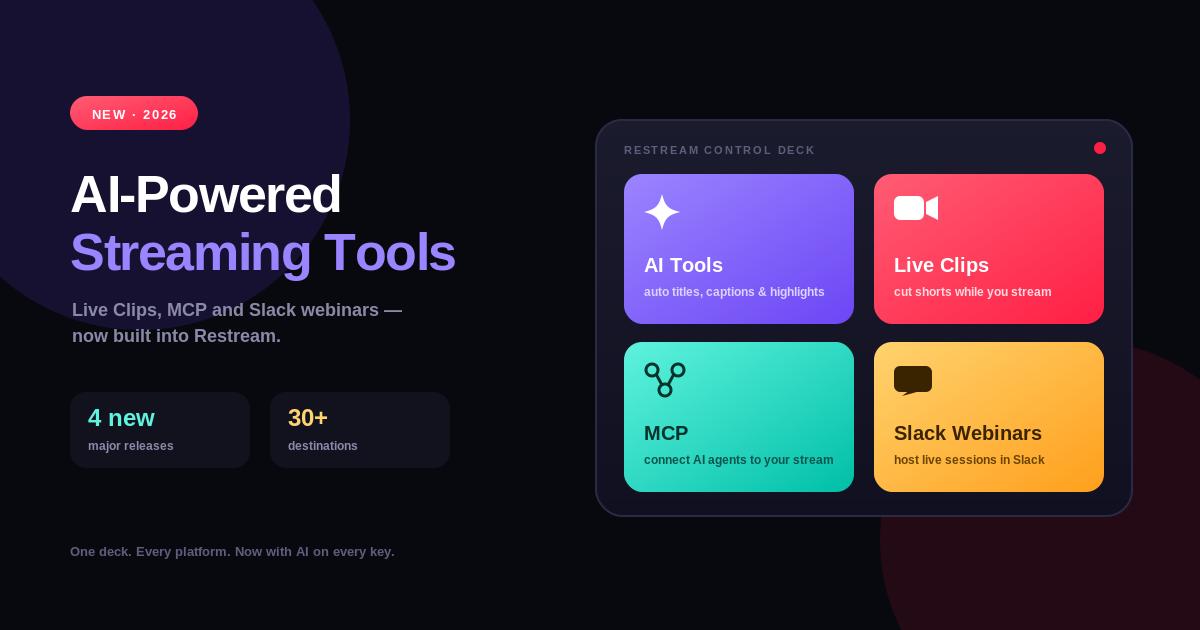
Among the notable additions are AI-powered stream analytics, AI-generated titles and descriptions, live clipping, automatic clip posting, an MCP server for AI assistants, Patreon streaming, public analytics APIs, and webinars through Slack.
These updates show Restream’s growing focus on helping creators and businesses manage more of the live-video workflow from one platform.
AI-Powered Stream Analytics
In April 2026, Restream introduced Ask AI about stream analytics.
The feature allows users to ask questions about their stream performance and receive insights beyond traditional charts.
Users can use AI to:
Summarize streams
Find unanswered audience questions
Identify peak moments
Find audience drop-offs
Get suggestions for improving future broadcasts
This can make analytics easier to understand, especially for creators who don’t want to manually analyze large amounts of streaming data.
AI-Generated Stream Titles and Descriptions
Restream also added AI assistance for stream titles and descriptions in June 2026.
Users can generate optimized titles and descriptions either globally or for individual compatible channels.
This can help creators prepare platform-specific stream information more efficiently while still having control over the final text.
Live Clipping Comes to Restream Studio
Another important update is Live Clipping.
Introduced in April 2026, the feature allows creators to capture highlights while their stream is still live.
Restream says the first clips can appear approximately 10 minutes after going live, and eligible clips can be posted to platforms such as Shorts, Reels, and TikTok.
This changes the workflow from:
Live stream → edit later → publish clips
to:
Live stream → create highlights → publish while the event is still happening
Automatic Clip Posting
Restream expanded live clipping in June with Autoposting.
The feature can automatically publish eligible Live Clips as they’re created.
Users can control:
Which channels receive clips
Maximum number of clips
Minimum virality score
Preset captions
This can help creators distribute highlights without manually uploading every clip after a broadcast.
Restream MCP Server
One of the more notable technology updates arrived in June 2026 with the Restream MCP Server.
The MCP server allows Restream to connect with AI assistants such as Claude, ChatGPT, and Cursor.
According to Restream, users can use an AI assistant to perform tasks such as:
Check streaming setups
Create streams
Schedule streams
Update upcoming events
Add or remove streaming destinations
Review post-stream analytics
Find stored videos
Create clips
This introduces a more conversational way to manage live-streaming workflows.
Streaming to Patreon
Restream also added Patreon as a streaming destination in June 2026.
Creators can connect their Patreon account and stream exclusive content to members while maintaining their broader multistreaming workflow.
Potential use cases include:
Member-only Q&As
Workshops
Behind-the-scenes sessions
Exclusive events
Creators can also configure audience visibility and Patreon membership tiers.
Public API for Live Analytics
Restream expanded its developer capabilities with new analytics endpoints in June 2026.
Developers can access data such as:
Peak viewers
Average viewers
Total views
Watch time
Audience trends
Chat messages
Unique chatters
Chat activity
Recording transcripts
The analytics can be retrieved for entire events or individual destinations, making the data useful for custom dashboards and reporting systems.
Webinars and Slack Town Halls
In July 2026, Restream introduced the ability to host live webinars and Slack town halls.
The feature uses Restream Studio and supports:
Guests
Slides
Scenes
Audience interaction
Real-time chat moderation
Streams can be viewed privately within Slack or shared through a public viewing link.
This gives businesses another way to use Restream for internal communications, product demonstrations, Q&As, and team events.
Create Clips From Cloud Storage Links
Restream also added the ability to create clips from public video links hosted on:
Google Drive
Dropbox
Microsoft OneDrive
Users can paste a public link and begin creating clips without first manually downloading and uploading the video.
Why These Updates Matter
The 2026 updates show that Restream is expanding from a multistreaming platform into a broader live-video workflow platform.
The workflow is becoming:
Plan → Stream → Engage → Analyze → Clip → Publish → Repurpose
AI can assist with analysis and stream information, while automated clipping and posting help creators turn live broadcasts into additional social content.
What This Means for Creators
For individual creators, the biggest benefits are likely to be:
Faster content repurposing
Easier stream analysis
AI-assisted titles
Automatic clip distribution
More streaming destinations
Instead of spending hours editing a livestream after it ends, creators can increasingly automate parts of the process.
What This Means for Businesses
Businesses can use the newer Restream features for:
Webinars
Product launches
Company announcements
Internal town halls
Customer events
Marketing campaigns
Training sessions
The Slack integration and analytics APIs are particularly relevant for teams that need to connect live video with existing business workflows.
Frequently Asked Questions
What are the latest Restream updates in 2026?
Major updates include AI stream analytics, AI-generated titles and descriptions, Live Clipping, automatic clip posting, Patreon streaming, the Restream MCP Server, public analytics APIs, and Slack webinars.
Does Restream use AI?
Yes. Restream now uses AI for features including stream analytics, title and description generation, and automated highlight selection.
Can Restream automatically create clips?
Yes. Restream’s Live Clipping can create highlights during a live stream, and its Autoposting feature can automatically publish eligible clips.
Can ChatGPT control Restream?
Restream introduced an MCP server that allows AI assistants such as ChatGPT, Claude, and Cursor to interact with Restream for tasks including stream management, scheduling, analytics, and video clips.
Can I stream to Patreon with Restream?
Yes. Patreon was added as a streaming destination in June 2026, including support for member visibility settings.
Can Restream be used for Slack webinars?
Yes. Restream introduced Slack webinar and town-hall streaming capabilities in July 2026.
Conclusion
Restream’s 2026 updates show a clear shift toward AI-assisted live streaming, automated content repurposing, deeper analytics, and broader business integrations.
Features such as Ask AI, Live Clipping, Autoposting, the MCP Server, Patreon streaming, analytics APIs, and Slack webinars give creators and businesses more ways to manage the complete lifecycle of live video.
For creators, the biggest advantage is reducing the manual work involved in turning livestreams into additional content. For businesses, the newer analytics, automation, API, and webinar capabilities make Restream more useful as part of a larger content and communication workflow.
Overall, Restream is evolving from a tool primarily known for multistreaming into a broader platform for creating, distributing, analyzing, and repurposing live video.